Resource optimization
Compare where credits are being used and decide whether a workflow should be adjusted or prioritized.
- Project-level context
- Video-type visibility
- More deliberate allocation

See how projects and video types consume credits, review usage over time, and make production choices with the cost context visible before you scale the workflow.

Usage tracking turns the credit balance into something operational. Review what consumed credits and connect that activity to the project or video workflow responsible for it.
Understand how different kinds of video production contribute to credit usage instead of looking only at a single total.
Connect consumption to the projects creating the work so the source of usage is easier to evaluate.
Review how consumption changes over time and spot shifts before they affect the next production cycle.
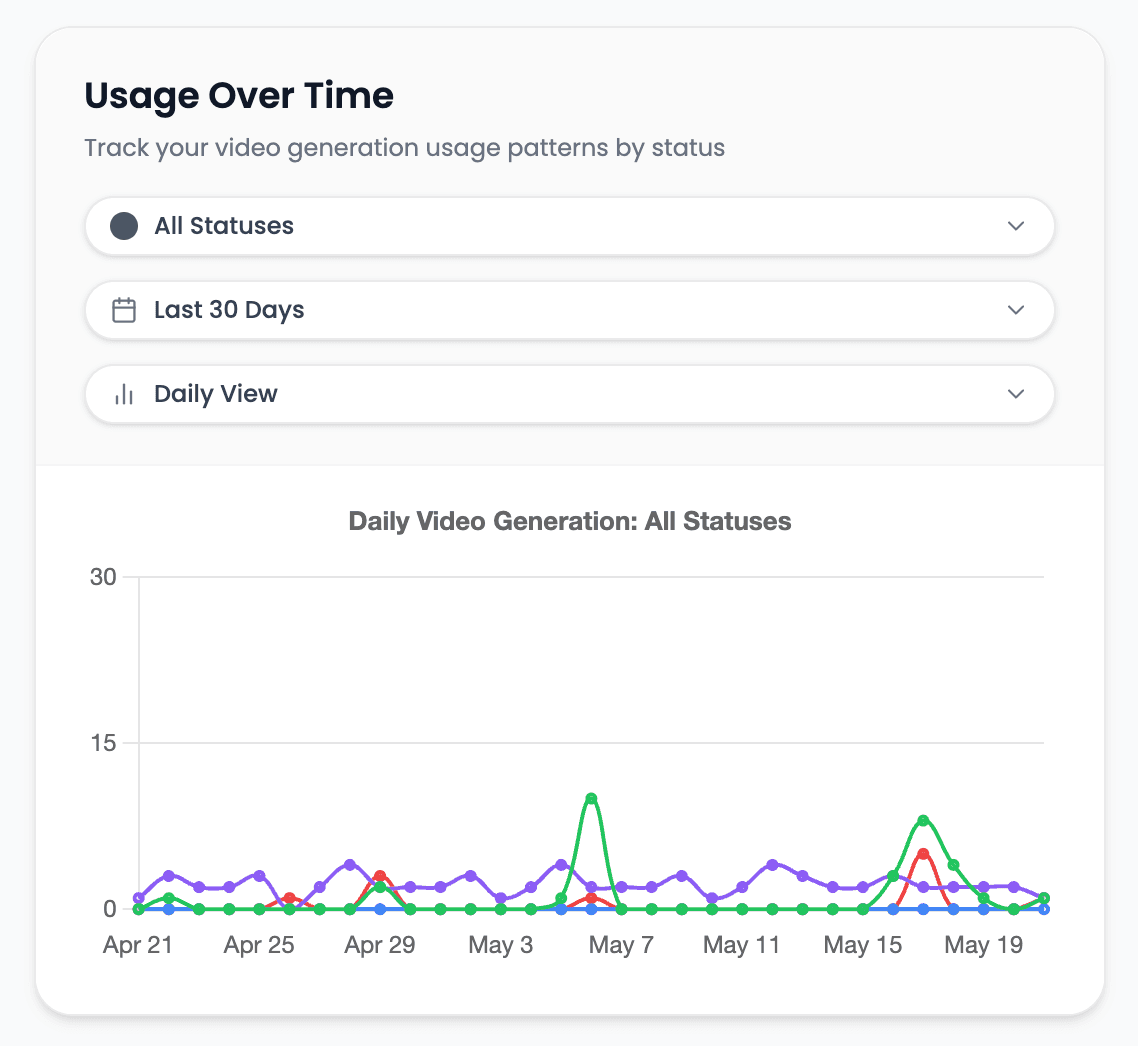
Use real account activity to decide where to optimize, what to budget, and which workflows deserve more production volume.
Compare where credits are being used and decide whether a workflow should be adjusted or prioritized.
Use the consumption history to understand the pace of usage before committing to a larger production plan.
Estimate future needs from the work the account is actually producing rather than from a generic assumption.
Give collaborators a shared view of production consumption instead of maintaining separate manual records.
Evaluate the relationship between production choices and credit use before changing the creative setup.
Increase output with an understanding of the projects and formats driving account usage.
The dashboard helps answer the practical questions behind recurring and higher-volume video production.
Trace consumption back to the production workflow responsible for it.
Compare usage across the formats the account is creating.
Review trends to see whether the current pace is stable or increasing.
Use recent production activity as the basis for the next output and credit plan.
Clear answers about setup, control, production, publishing, and commercial use.
It stays connected to the project where you create and manage the video, so you can use usage tracking without moving the production into a separate tool.
Yes. Review the video, refine supported scenes, media, captions, timing, voice, music, and related settings, then decide whether to download, schedule, or publish it.
Videnly supports short-form and long-form workflows. The exact options available depend on the video workflow and format selected for the project.
When an action uses credits, Videnly shows the estimated cost before generation so you can review the selected model and settings first.
Yes. Projects preserve supported creative and production settings so recurring campaigns and channels do not have to restart from an empty configuration.
Open the usage dashboard and connect production activity to the credits it consumes.