
Create Faceless Story Videos on Autopilot
Videnly turns a single prompt into a script, a short-form video with voice and visuals, and scheduled posts to TikTok, Shorts, Reels, and Pinterest. You stay consistent; we handle the pipeline.
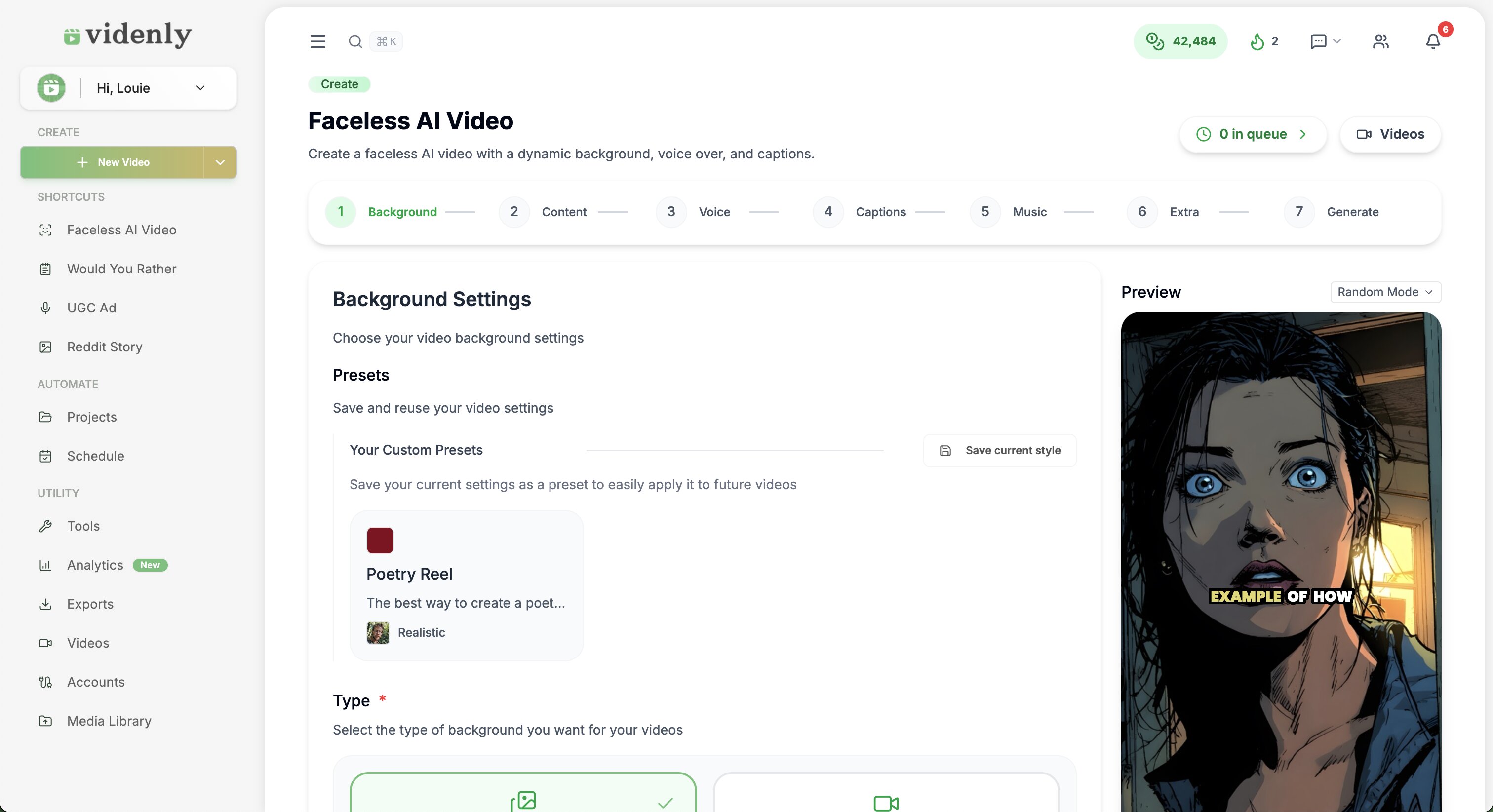
How the story-to-video pipeline works
One idea in, one video out. Script, voice, and visuals handled in Videnly.
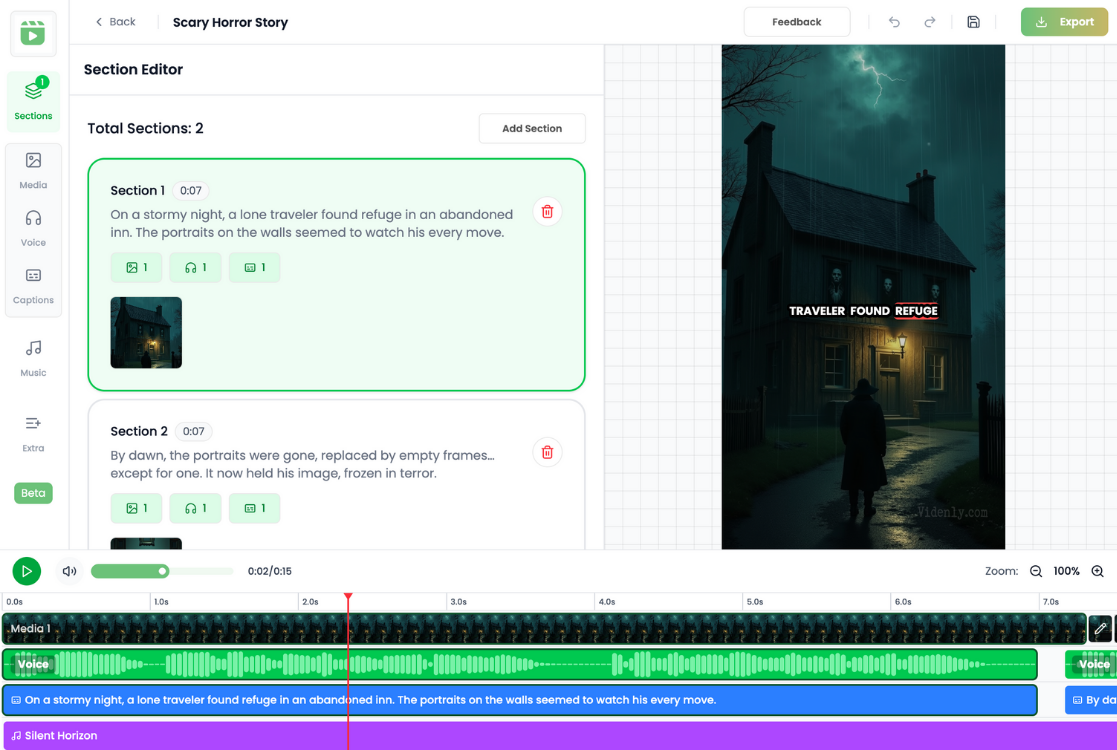
Drop in a prompt or theme
One line is enough (e.g. “first day at a new school” or “the last message on a dying phone.” Videnly expands it into a full narrative and script.
- One line in, full story out
- No blank page
- Edit the script anytime
Generate script, voice, and visuals in one go
We draft the story, match it to an AI voice and scene style, and render a short-form video. You can lock in a template and reuse it so every story feels on-brand.
- AI voice and visuals
- Lock a template and reuse
- On-brand every time
Schedule and publish to your channels
Send the same story video to TikTok, YouTube Shorts, Instagram Reels, and Pinterest from one place. Set a cadence and let Videnly post so you keep growing without daily manual uploads.
- TikTok, Shorts, Reels, Pinterest
- Set your cadence
- We handle the posting
Why creators use Videnly for story videos
One workflow from idea to published clip, with scheduling so you can scale output without scaling hours.
Prompt to script, no blank page
Skip the writer’s block. Give a premise; get a full story and script. Edit if you want, or ship as-is.
Story → video in one workflow
No jumping between writing, voiceover, and editing tools. One pipeline from idea to published clip.
One story, all short-form platforms
Export once and schedule to TikTok, Reels, Shorts, and Pinterest so you’re not re-uploading by hand everywhere.
Templates and styles you control
Set a look and tone once (art style, voice, pacing) and reuse it so your story content stays consistent.
More output without more hours
Focus on ideas and strategy; let the AI handle drafting, voicing, and visuals so you can scale volume.
Scheduling and auto-publish
Define your posting rhythm. Videnly publishes story videos on your calendar so algorithms see steady activity.
Start with the facts.Choose with confidence.
Clear answers about setup, control, production, publishing, and commercial use.
An AI short story generator turns a short prompt or theme into a full narrative and script. Videnly goes further: it turns that script into a short-form video with AI voice and visuals, and lets you schedule and publish to supported channels from one dashboard.
No. You only need to provide a premise or theme. Videnly’s AI generates the story and script. You can edit the script, pick a different voice or style, and then generate the video.
Yes. Videnly supports scheduling and publishing to connected supported channels. You choose the destination and schedule, then keep upcoming videos visible from the same workflow.
No. Videnly supports faceless content using generated visuals and AI voiceover, so you can create and publish without appearing on camera.
You can create short-form story videos or use longer Videnly workflows when the story needs more room. Available length and format options depend on the selected workflow and plan.
Videnly plans include commercial use for videos you create. You remain responsible for having the necessary rights to any material you upload yourself.
Videnly offers multiple AI voices and languages for different audiences. Choose the supported voice and language in the workflow before generating.
Ready to run story-to-video on autopilot?
One prompt, one pipeline, all your short-form channels. Start free and set your schedule.