Consistent art direction
Use one chosen style across the visual sequence so the production feels connected.
- Recognizable scene treatment
- Clearer visual identity
- Less manual style correction

Choose a visual style for the project and carry that direction across the generated imagery. Compare real Videnly styles, match the look to the subject, and create videos that feel intentionally art-directed instead of visually random.

The art style becomes part of the project’s creative setup. Videnly uses it to guide generated visuals across scenes so the video has a recognizable direction from the opening image to the final frame.
Choose from the styles currently available in Videnly, including realistic, comic, watercolor, illustration, retro, and game-inspired directions.
Keep the same visual language across a sequence instead of choosing a disconnected look for each scene.
Select a direction that supports the topic, audience, and emotional tone of the script.
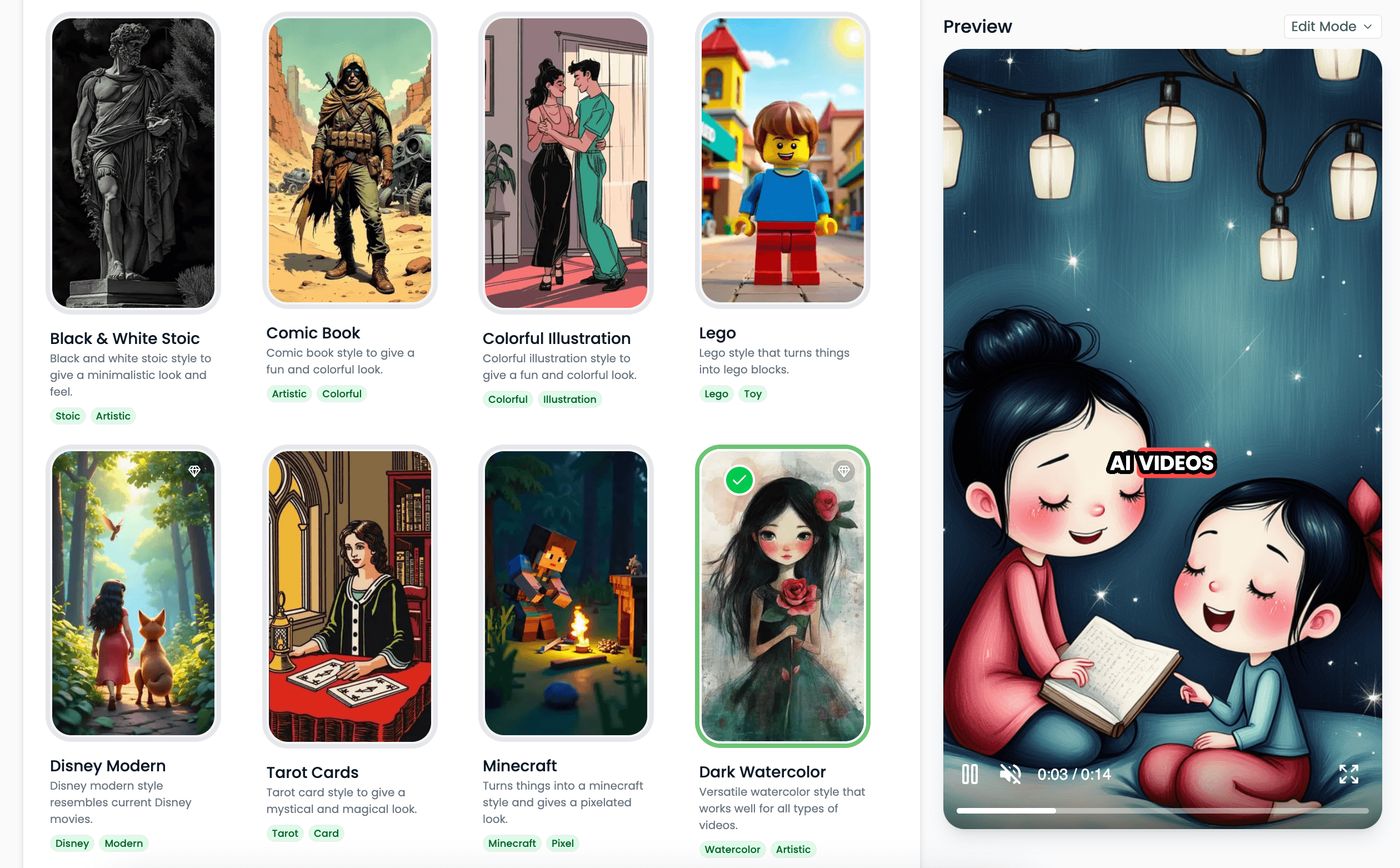
A deliberate style helps separate creative direction from random visual variation.
Use one chosen style across the visual sequence so the production feels connected.
Choose a defined Videnly style and use its established visual language as the basis for the generated imagery.
Align the style with the subject and audience instead of defaulting every project to the same visual treatment.
Create different projects from the same concept when a campaign needs more than one visual direction.
Use the selected style across the scenes of faceless videos built for different content formats.
Custom style creation from descriptions or reference images remains an upcoming capability and is labeled accordingly.
Different projects call for different art direction, even when they use the same underlying production workflow.
Use realistic imagery when clarity, credibility, or a documentary-like direction matters.
Choose comic, watercolor, or illustration styles for educational and concept-driven videos.
Use stylized, retro, game-inspired, or animated looks for more expressive channel formats.
Keep the same art direction across recurring videos so the channel or campaign remains recognizable.
Clear answers about setup, control, production, publishing, and commercial use.
It stays connected to the project where you create and manage the video, so you can use ai art styles without moving the production into a separate tool.
Yes. Review the video, refine supported scenes, media, captions, timing, voice, music, and related settings, then decide whether to download, schedule, or publish it.
Videnly supports short-form and long-form workflows. The exact options available depend on the video workflow and format selected for the project.
When an action uses credits, Videnly shows the estimated cost before generation so you can review the selected model and settings first.
Yes. Projects preserve supported creative and production settings so recurring campaigns and channels do not have to restart from an empty configuration.
Explore the current Videnly art styles and save the right look with your project.