Cinematic long-form
Build long-form videos with visual consistency that holds up


 Videnly

Rated 5 out of 5 stars
Video Automation
Turn an idea into a finished video without spending hours editing. Create faceless videos, ads, Shorts, and more with the script, visuals, voiceover, and captions handled in one place, then publish everywhere.

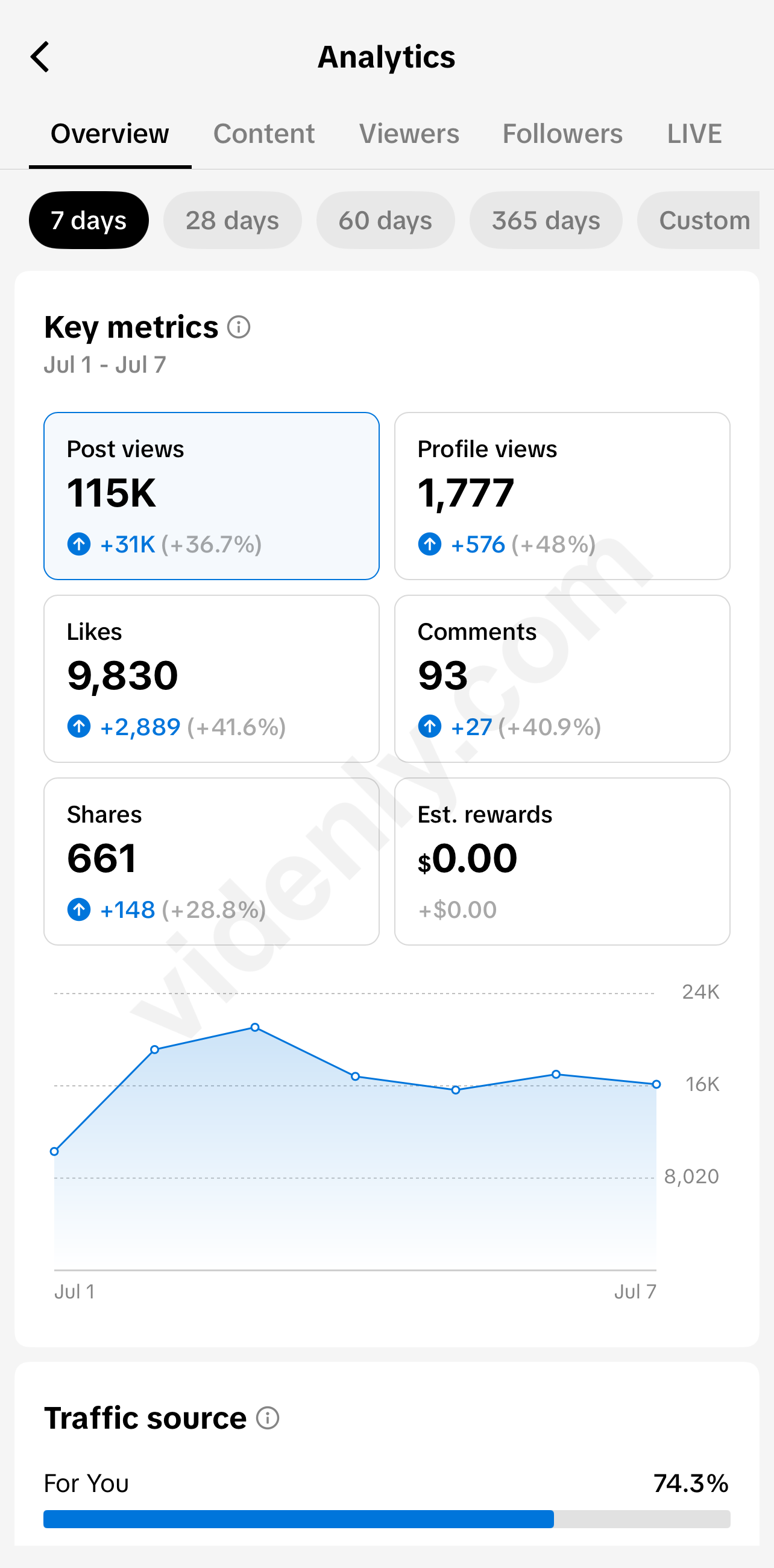
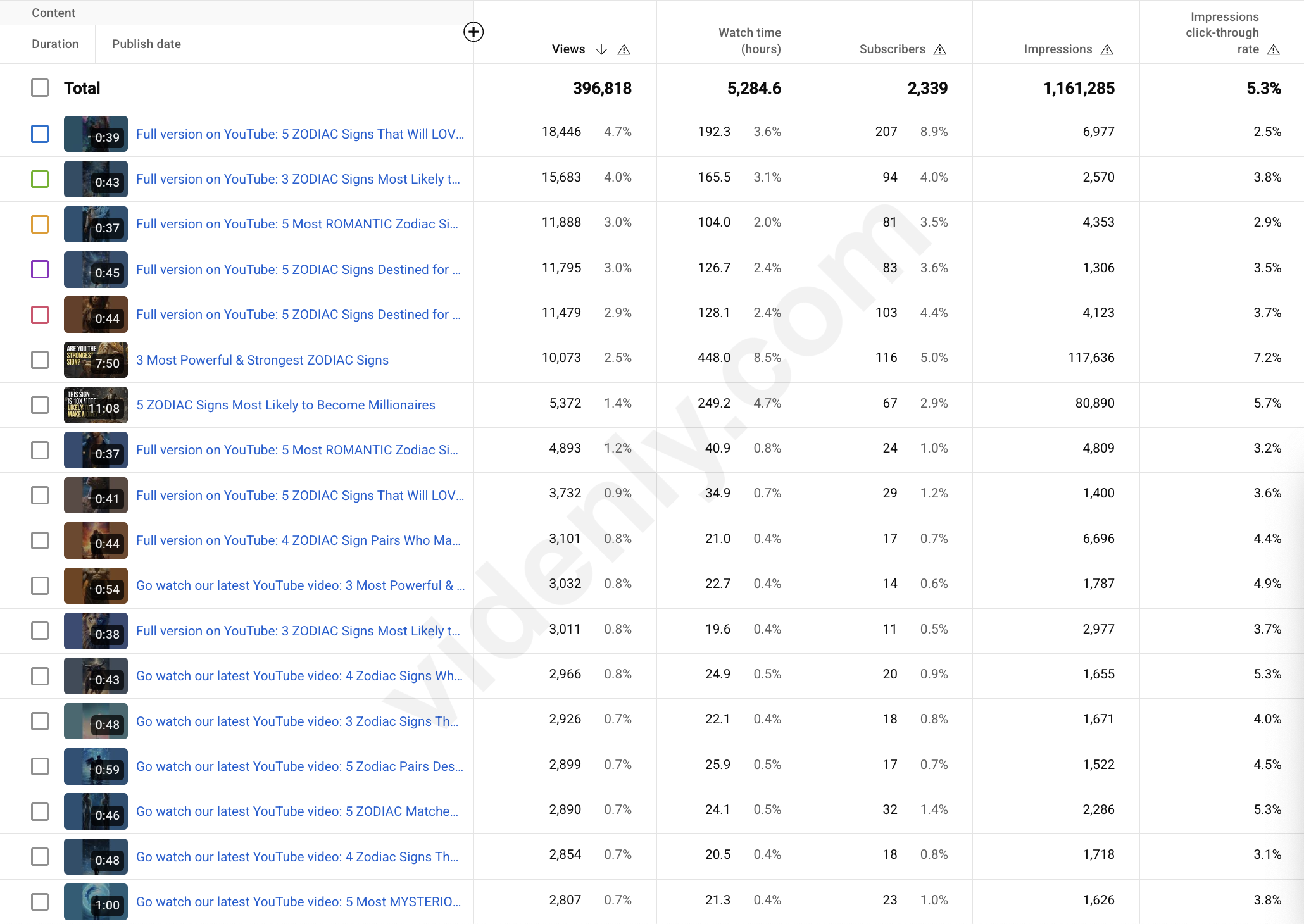
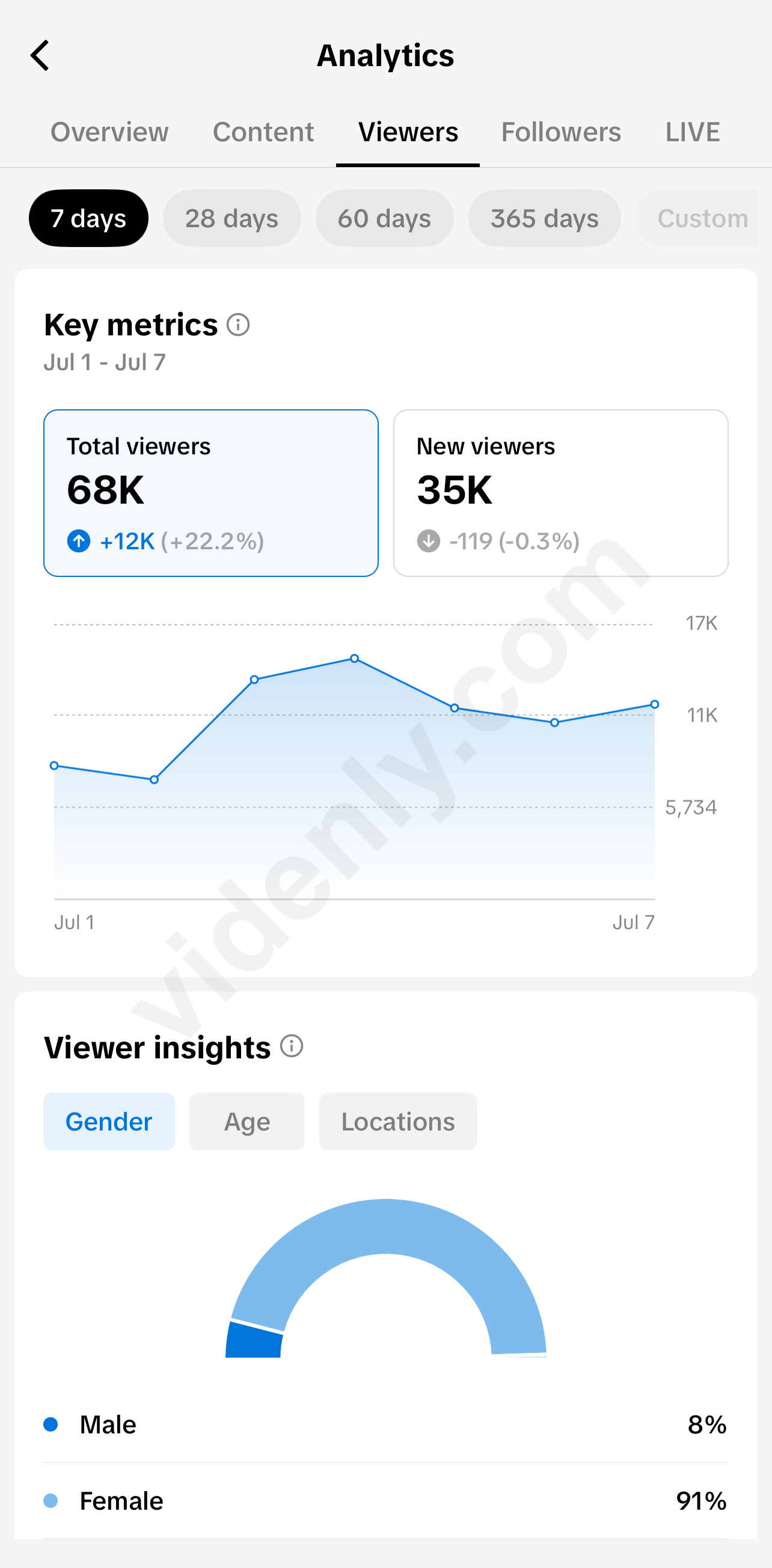
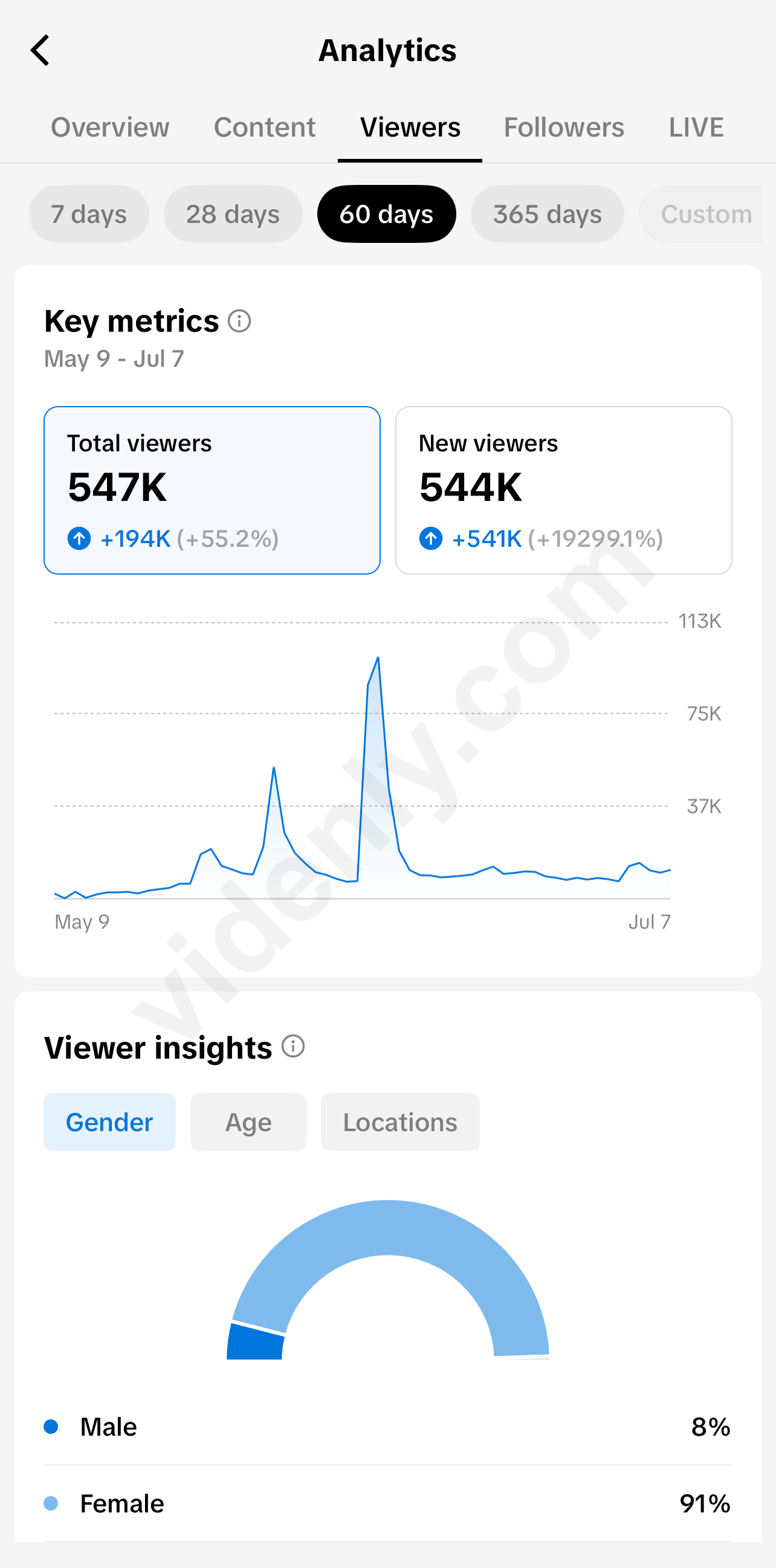
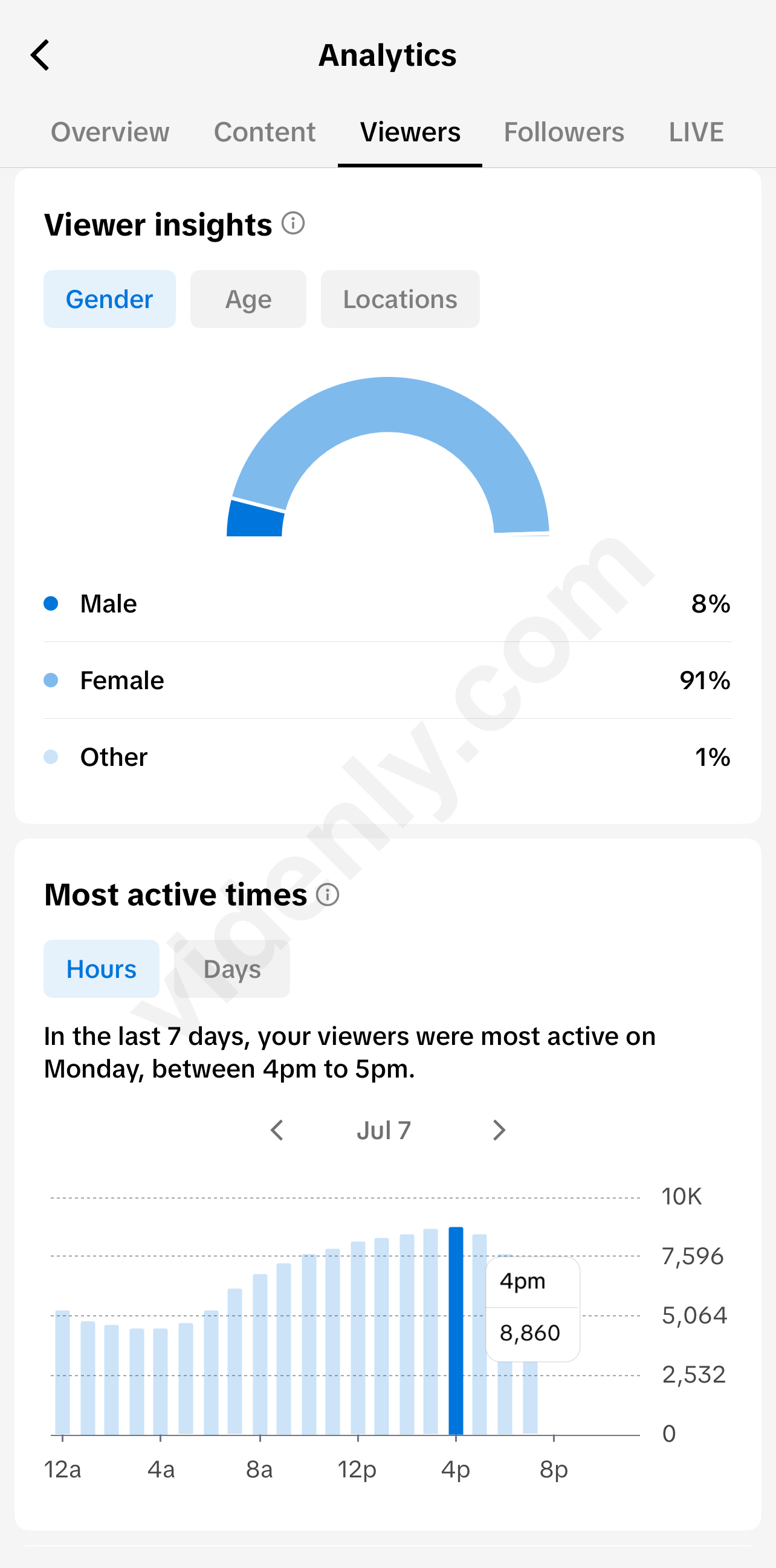
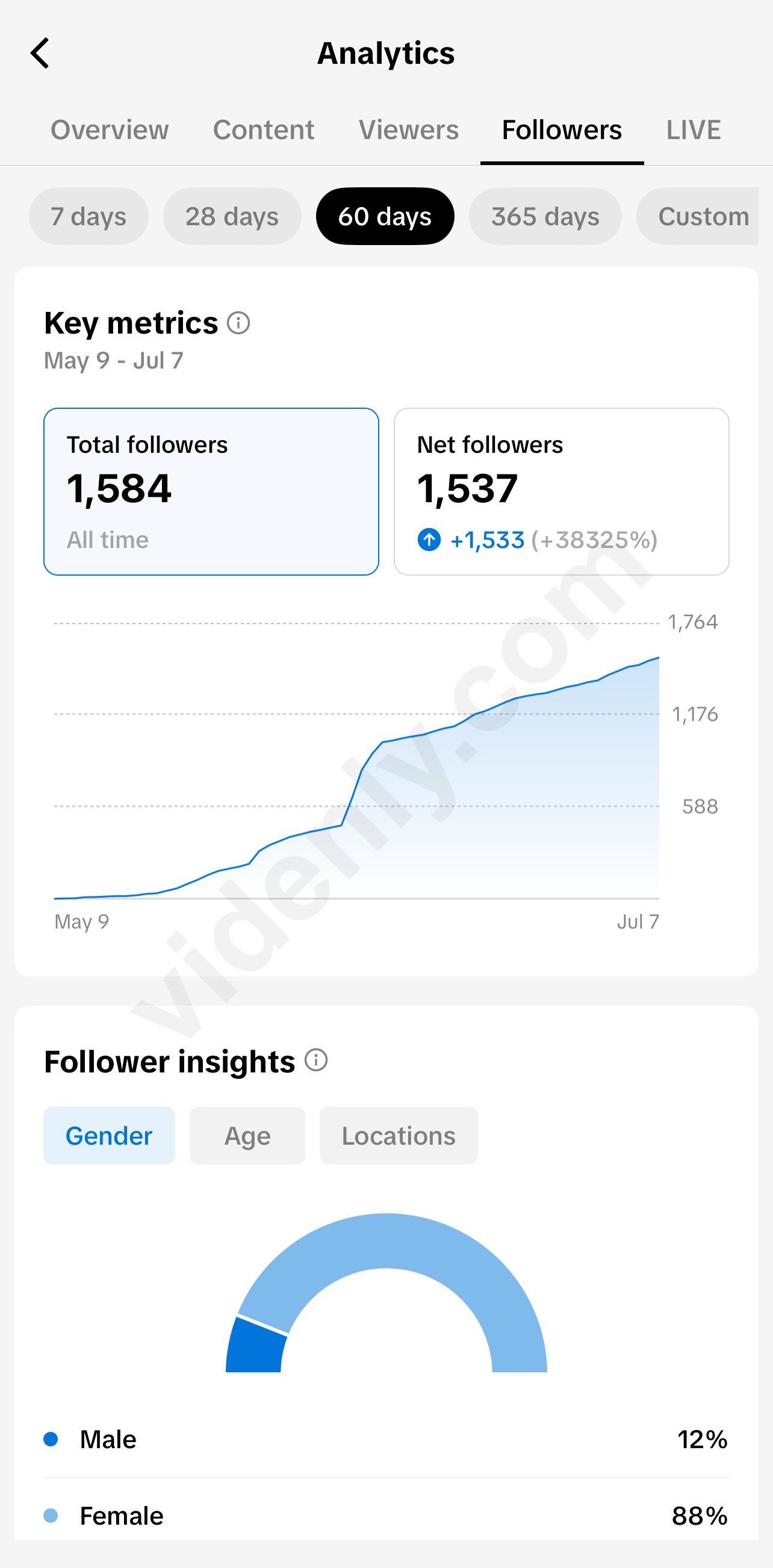
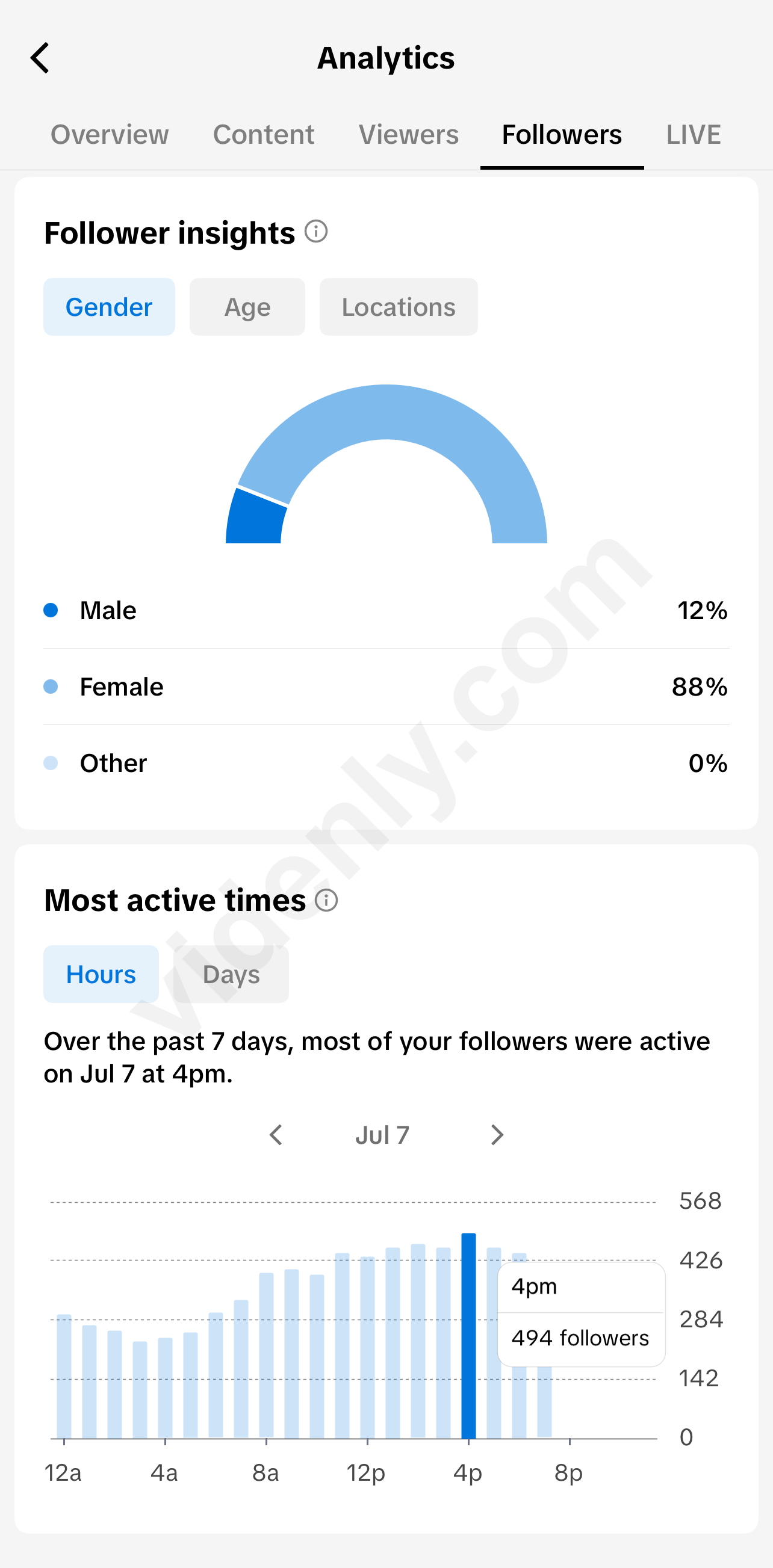
Real YouTube and TikTok analytics from published videos created with Videnly, showing the views and engagement recorded on each platform.
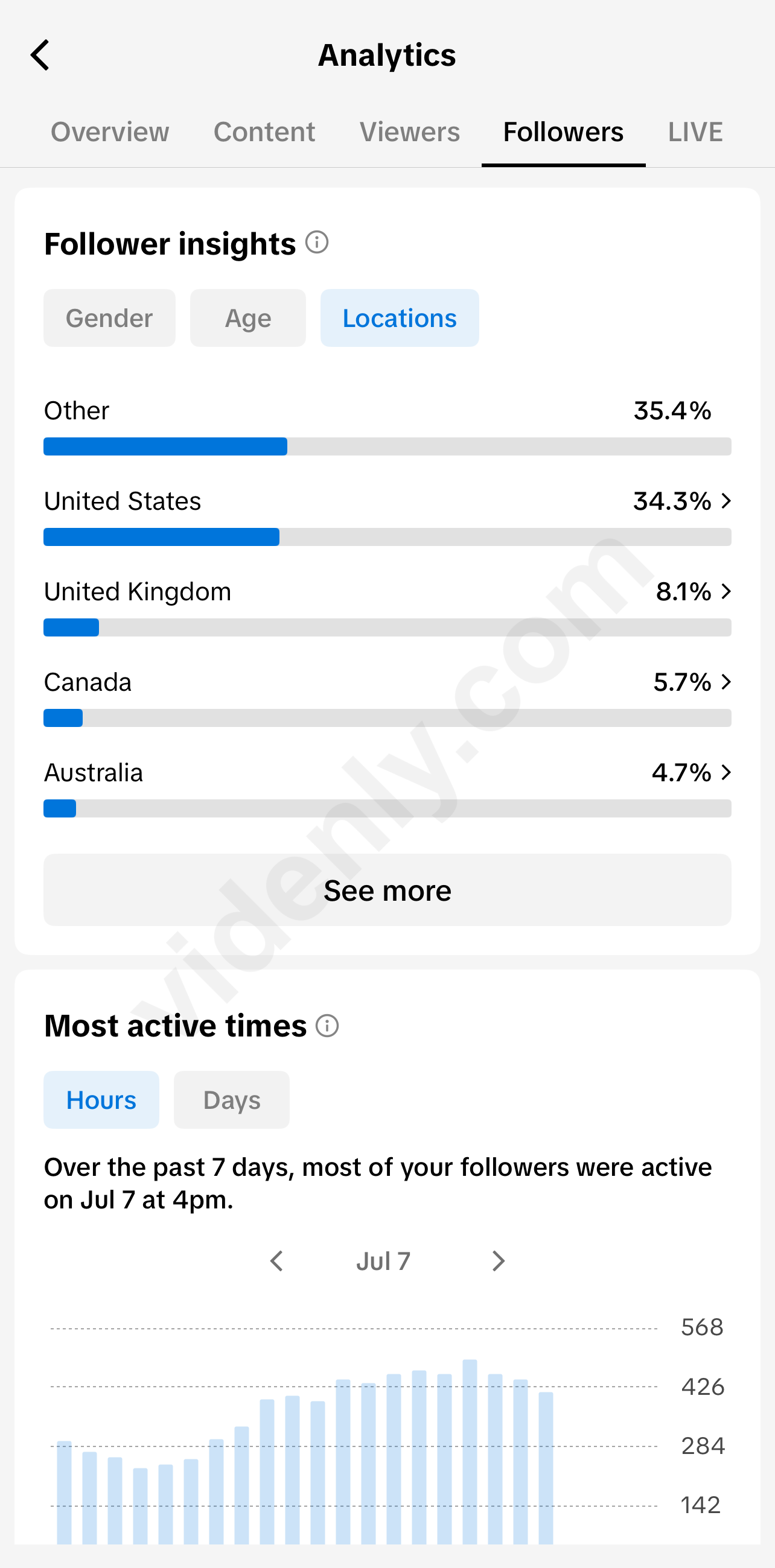
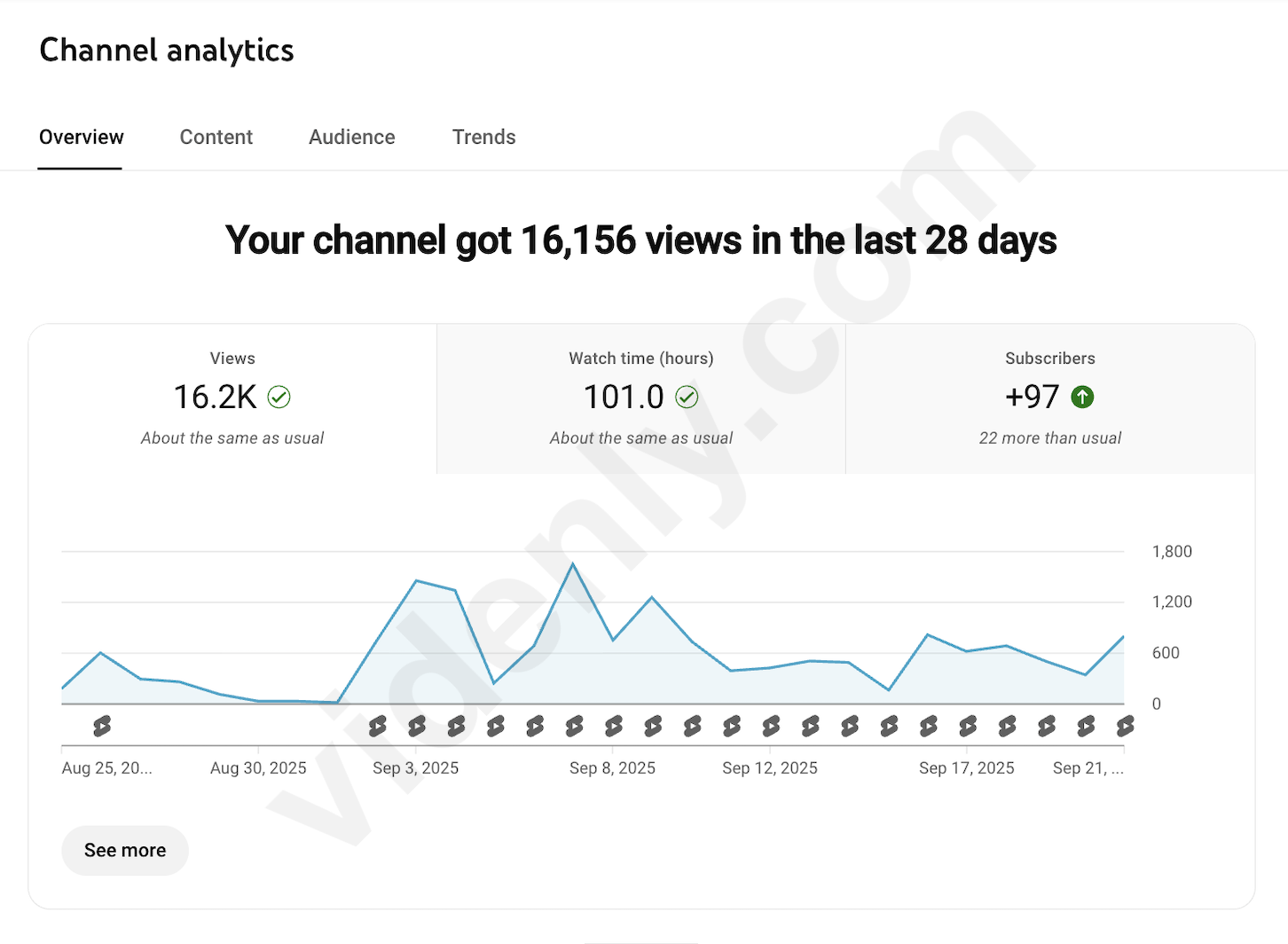
Connect your channels once. Videnly formats, schedules, and publishes every finished video for you, so your content keeps moving without another upload workflow.

Automate video workflows from your CRM, forms, spreadsheets, ecommerce tools, and more.
Prepare, schedule, publish, and measure video across your connected accounts without checking every platform separately.
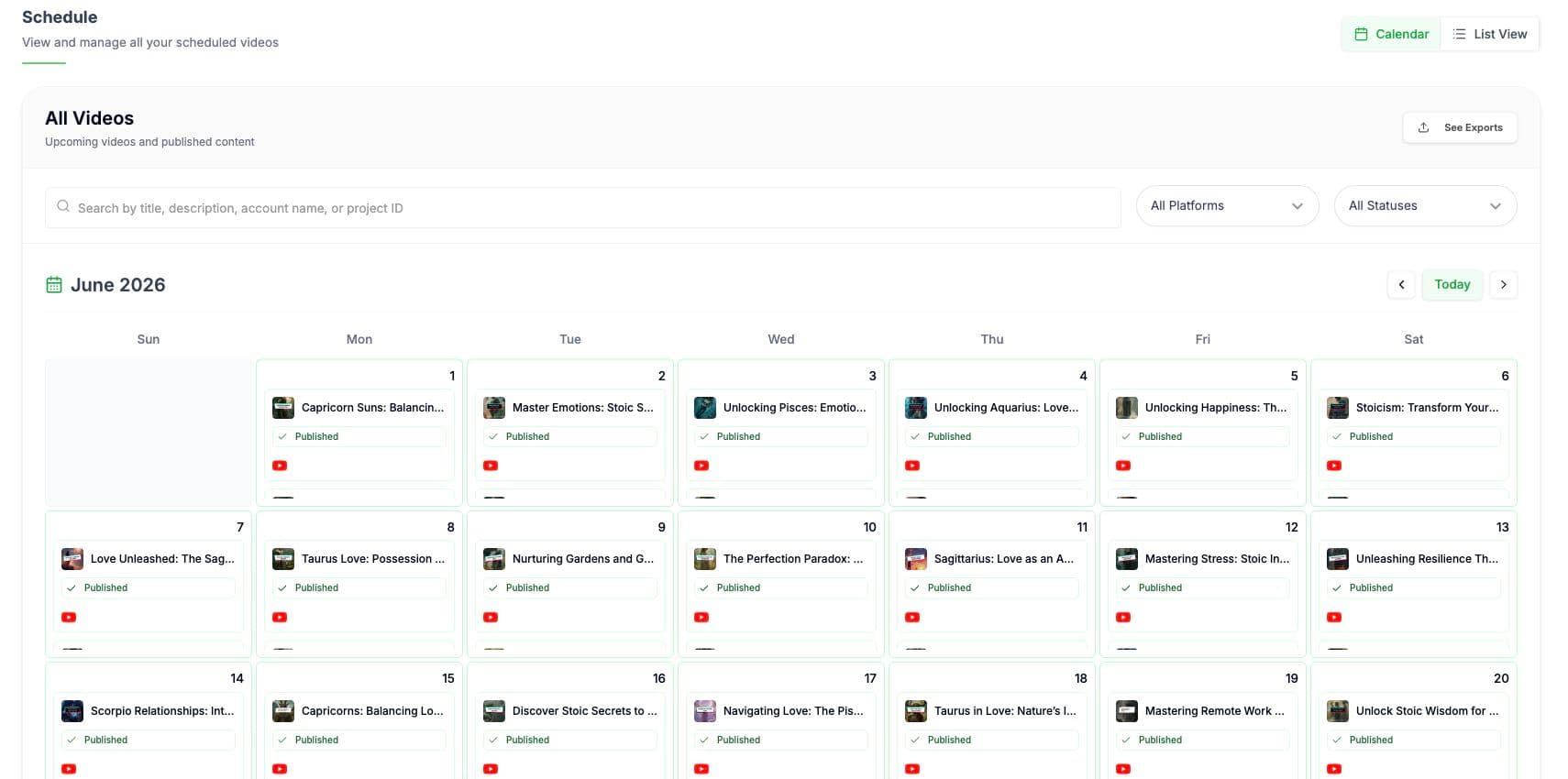
See upcoming and published videos in one calendar and spot content gaps before they happen.
Monitor the platform, publishing time, and delivery status without checking each social account.
Generate titles, descriptions, captions, hashtags, and keywords, then review every detail before publishing.
Compare publishing activity and performance across your brands, clients, and connected channels.
See upcoming and published videos in one calendar, spot content gaps, and keep every connected account moving.
Generating faster means nothing if the result still looks cheap. Videnly combines extensive prompt packages with a complete editor, so you can guide every generation, fix the obvious tells, and publish videos that feel deliberate, branded, and worth watching.
Keep products, captions, colors, voice, and visual style consistent across every scene.
Turn out ads, shorts, explainers, and long-form videos without relying on the same obvious AI templates.
Produce, review, schedule, and publish more video without adding editors, actors, or another stack of tools.
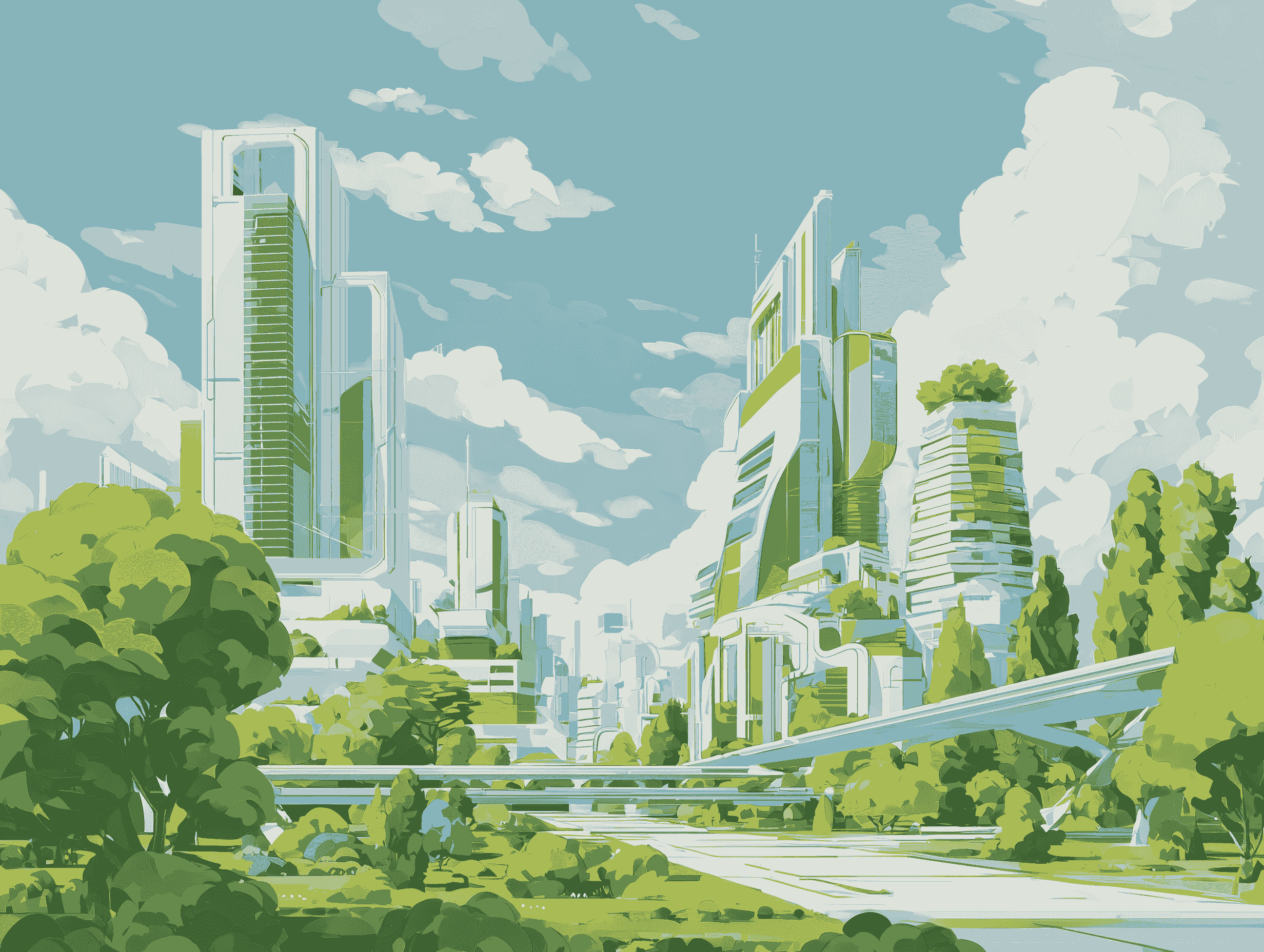
Build long-form videos with visual consistency that holds up
VidenlyExplain complex products and ideas with clear visuals that stays consistent
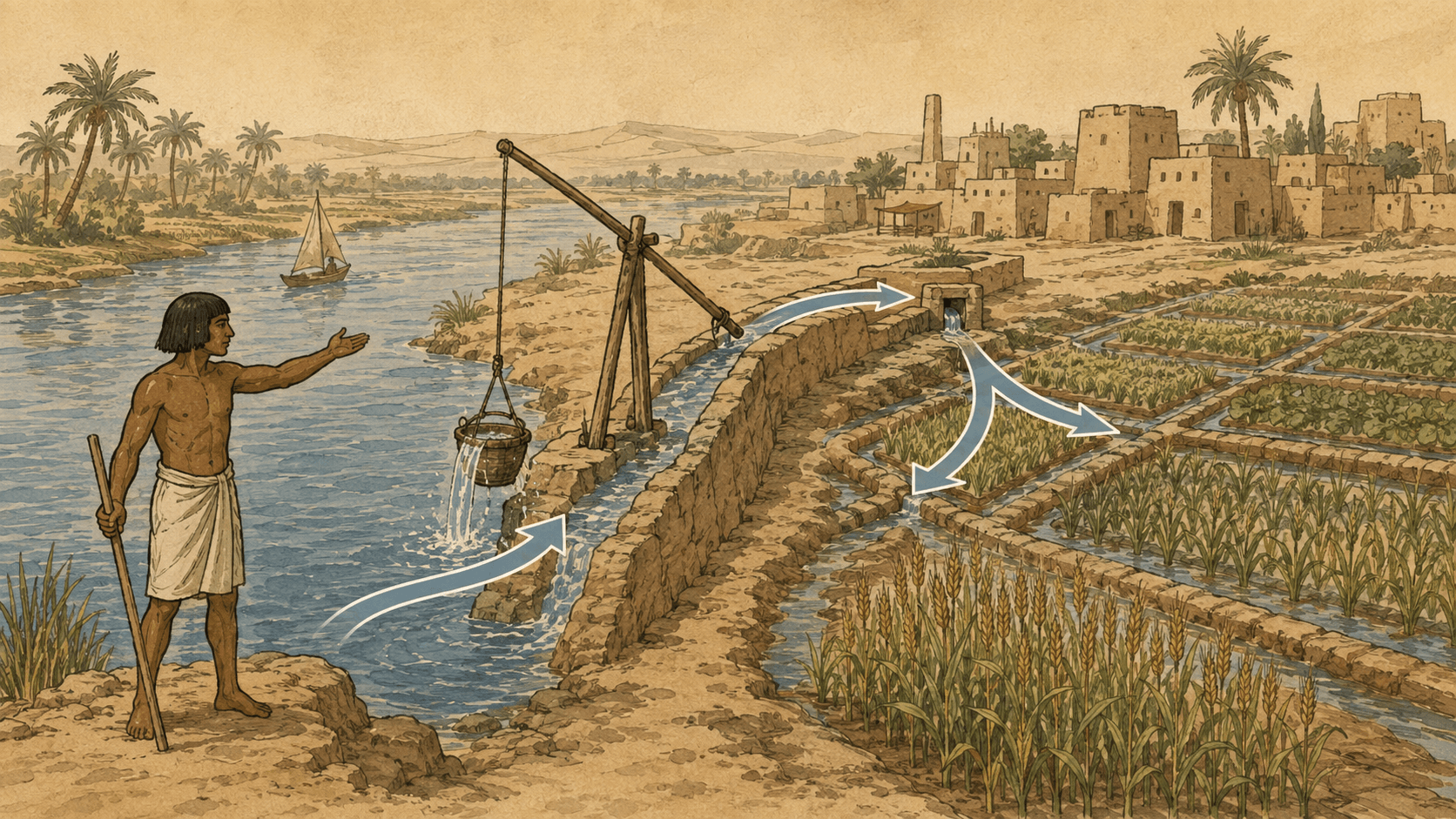
 Videnly
Create the history format viewers already watch, with stronger consistency and art direction.

 Videnly
Use the formats viewers already watch without publishing broken anatomy or obvious generation defects.

 Videnly
Create avatar ads that feel like trusted creator content instead of synthetic spokesperson videos.

 Videnly
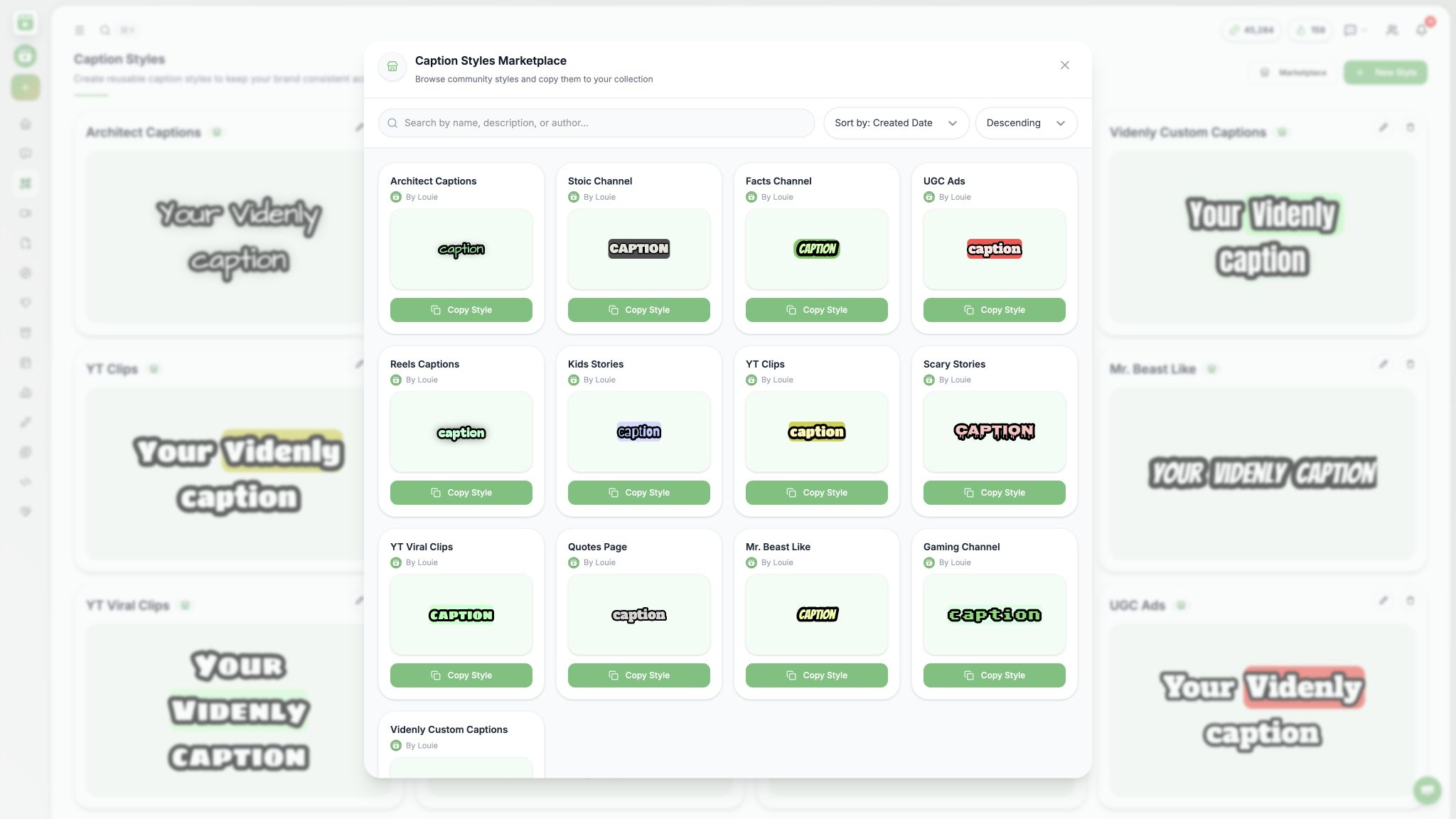
Discover art styles, caption styles, reusable templates, and creative ideas shared by the Videnly community. Copy a starting point, make it your own, and share what works next at no additional cost.
Add a community style to your collection, then customize it for your own brand and videos.
Discover reusable templates, creative setups, and formats instead of rebuilding every video from zero.
Publish your own styles and help other creators find a stronger starting point for their next video.
Browse styles shared by the community, preview the look, and add a proven starting point
Get supported AI models, creation tools, editing, scheduling, publishing, and analytics through one account and one credit balance.
Produce ads, social videos, faceless stories, clips, motion graphics, and long-form content.
Review the generated result and refine the production without moving it into another editing stack.
Keep production settings, generations, brands, clients, and connected accounts in reusable projects.
Move approved videos into scheduling, publishing, and performance tracking from the same account.
Understand credits, model access, approval control, and subscription flexibility before comparing plans.
Videnly shows the estimated credit cost before you generate, so you can change the model or settings first.
No. Supported image and video models are available through your Videnly credits without separate provider billing or API keys.
Yes. Edit the scenes, captions, media, timing, and audio, then download, schedule, or publish when it is ready.
Yes. Upgrade, downgrade, or cancel without a cancellation fee and keep access through the current billing period.
Clear answers about credits, AI models, publishing, and managing your subscription.
Talk to us if you need help choosing a planYour plan includes a monthly credit balance used across Videnly's AI creation tools. Credit usage varies by model and workflow, and you can see the cost before generating and track your remaining balance from the dashboard. Credits reset each month and do not roll over.
No. Your Videnly credits give you access to supported image and video models from one account, so you do not need to manage separate provider subscriptions, API keys, or billing accounts.
The total depends on the model, video length, and workflow you choose. Videnly shows the credit cost before generation and tracks your remaining balance, so you can choose the right quality and cost for each project.
Yes. You stay in control of publishing. Review and edit each video, then choose whether to download it, publish it immediately, or schedule it for later.
Yes. Videnly includes a video editor for adjusting scenes, timing, captions, media, overlays, and audio. You can also use AI Copilot to help make timeline edits before you export, schedule, or publish.
All paid plans include publishing to YouTube, TikTok, Instagram, and Facebook. Pinterest, LinkedIn, Threads, and X are available on Premium and above. Schedule content in advance or publish directly from your Videnly workflow.
Yes. Use projects to organize videos by brand, client, campaign, or channel, and connect multiple social accounts based on the limits included with your plan.
Yes. Videos created with Videnly can be used for business content, client work, advertisements, product marketing, and monetized social channels, subject to Videnly's terms of service and the policies of the platforms where you publish.
Yes. You can upgrade, downgrade, or cancel from your account settings. If you cancel, you keep access through the end of your current billing period with no cancellation fee.
Turn articles, webinars, reports, and product knowledge into branded 10+ minute videos, then review, repurpose, and publish them across your channels.
Turn your script into scenes, visuals, voiceover, captions, and motion inside one connected project.
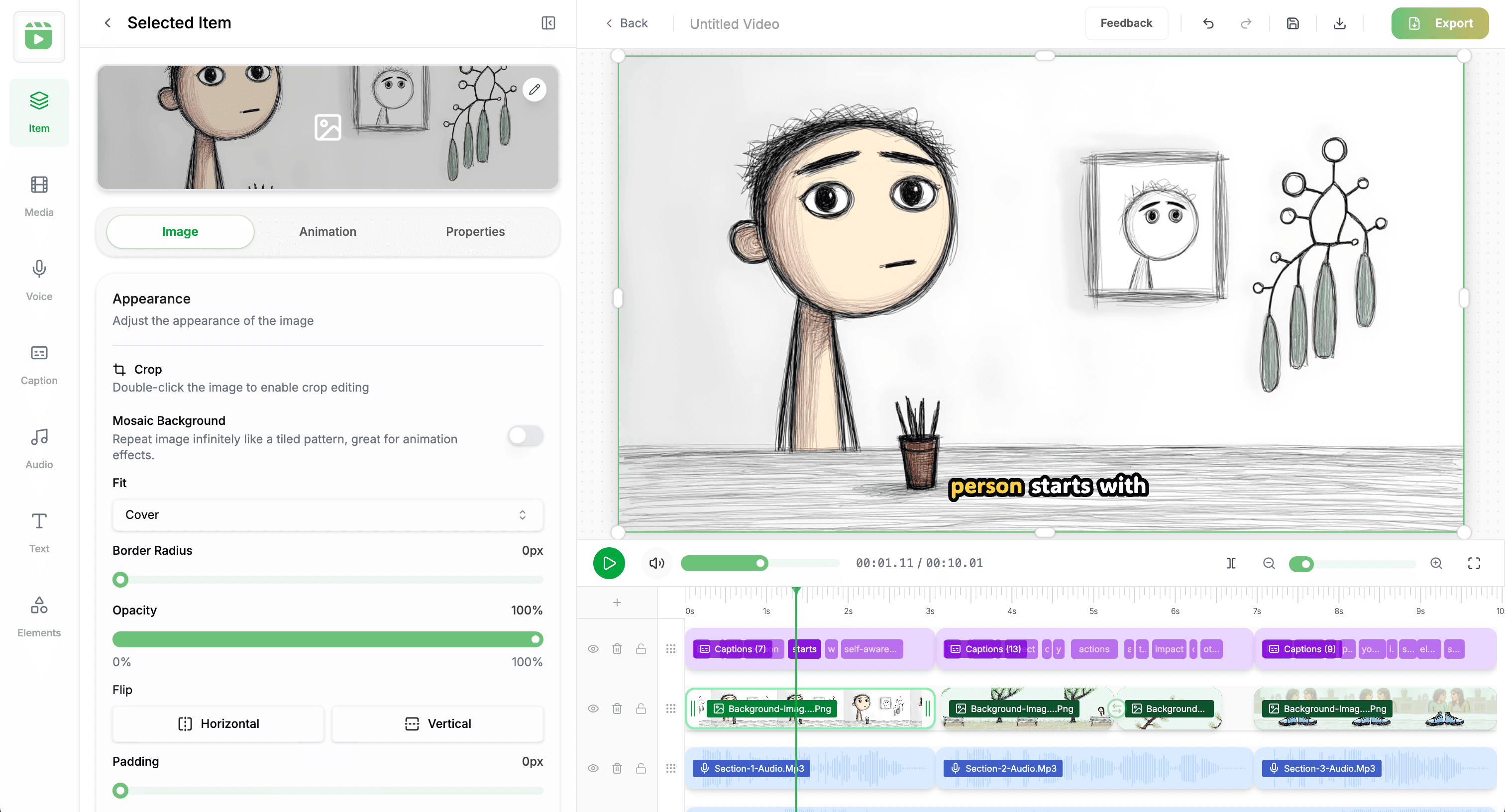
Create polished explainers, product education, and thought leadership without a separate production team.
Reuse approved visual styles, thumbnails, captions, and voices across every campaign and channel.
Review once, publish the full video to YouTube, and repurpose it into clips for every social platform.
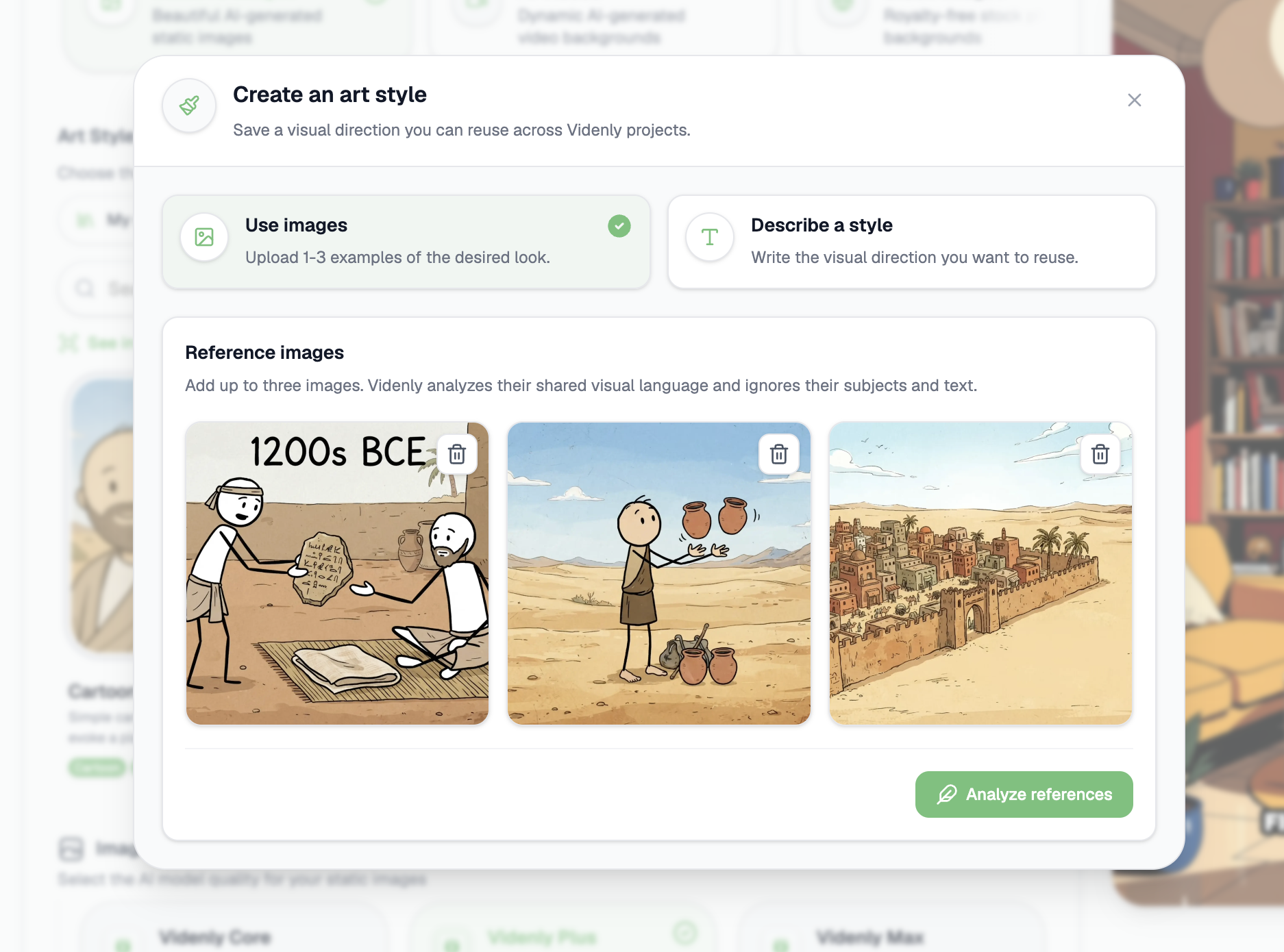
Describe the look you want or upload up to three reference images. Videnly turns that direction into an Art Style you can reuse.
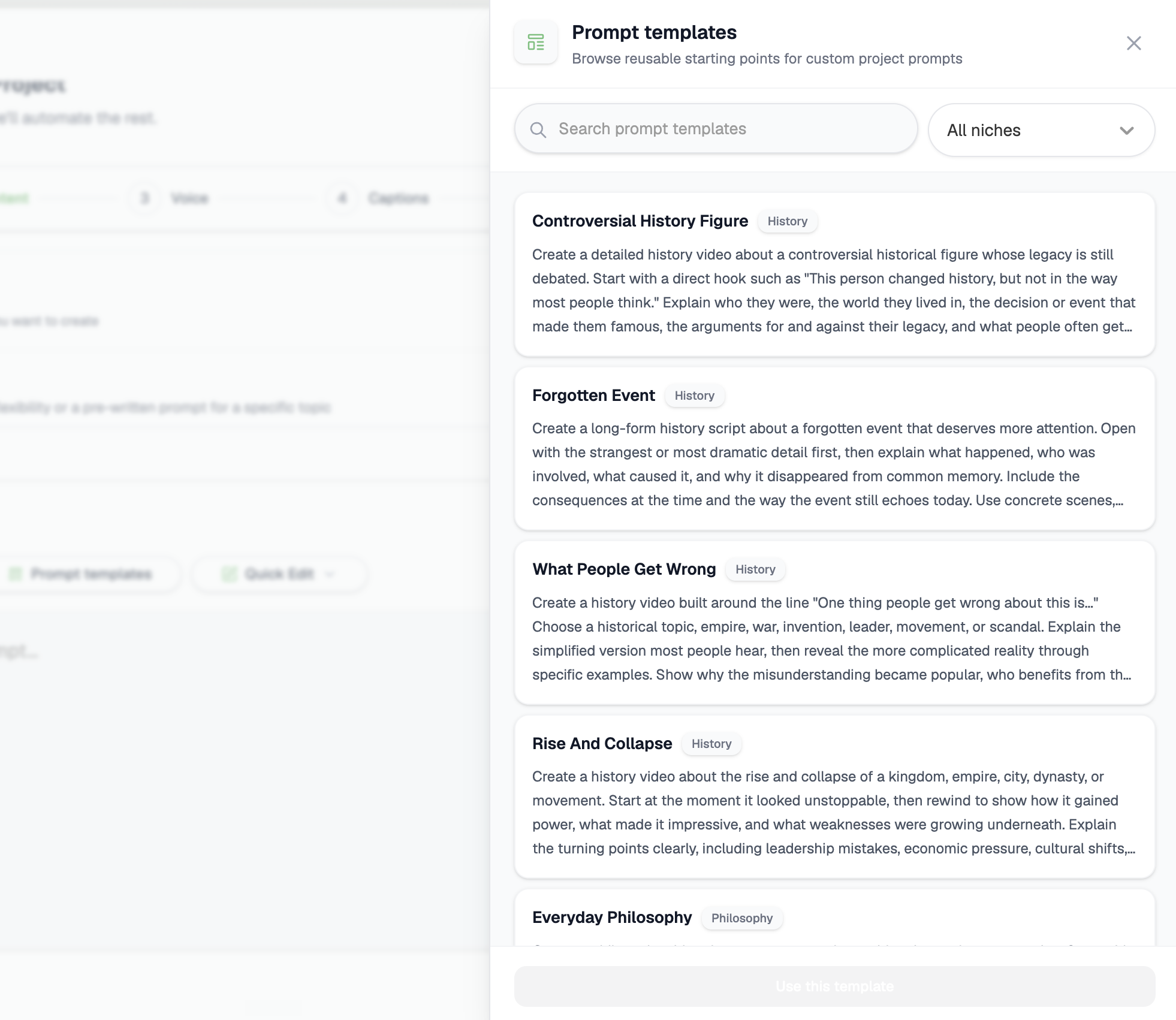
Browse structured prompts by niche and add one to your Project instead of writing every new content direction from a blank field.
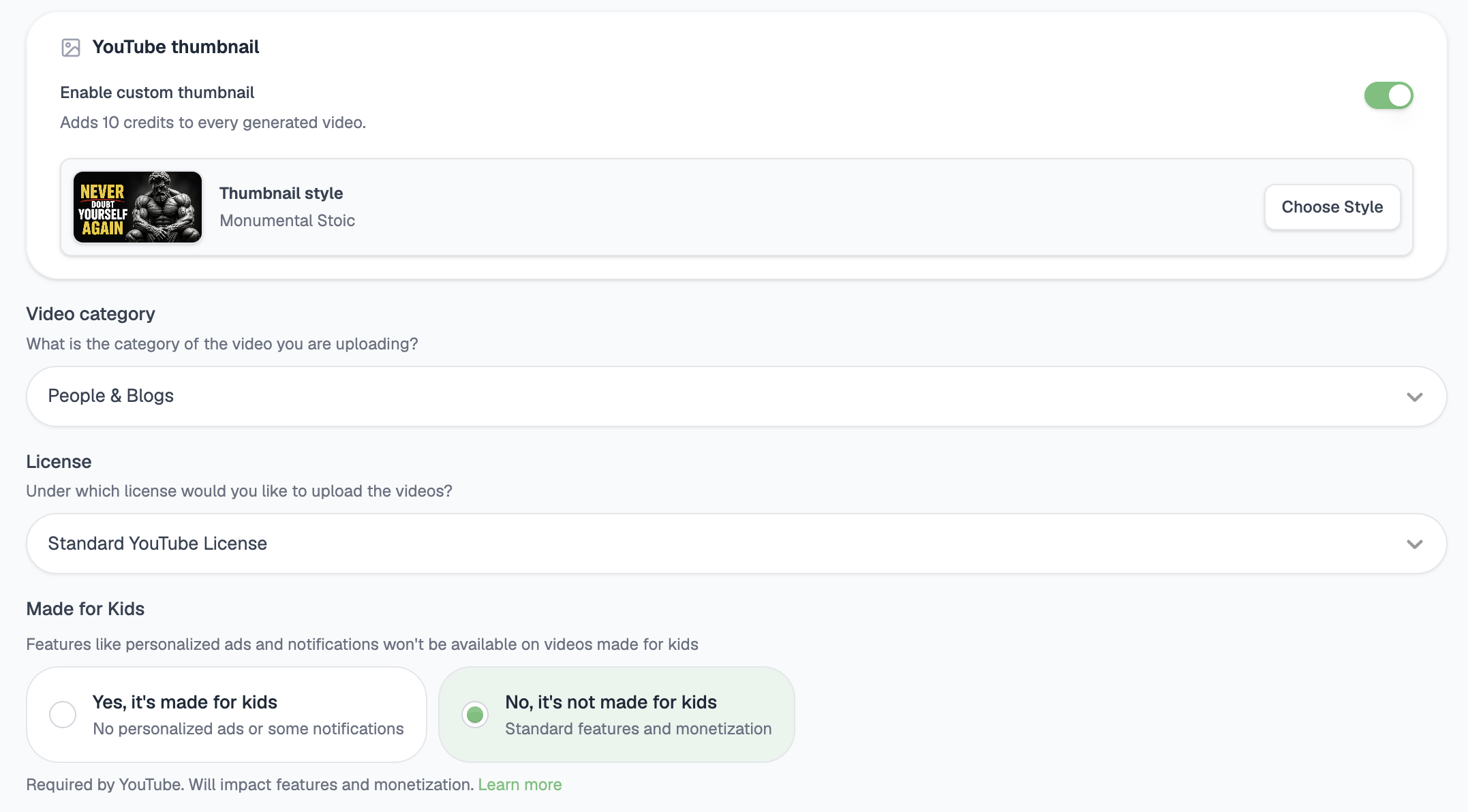
Choose a thumbnail style once so every supported horizontal video can receive a matching thumbnail automatically before it publishes.
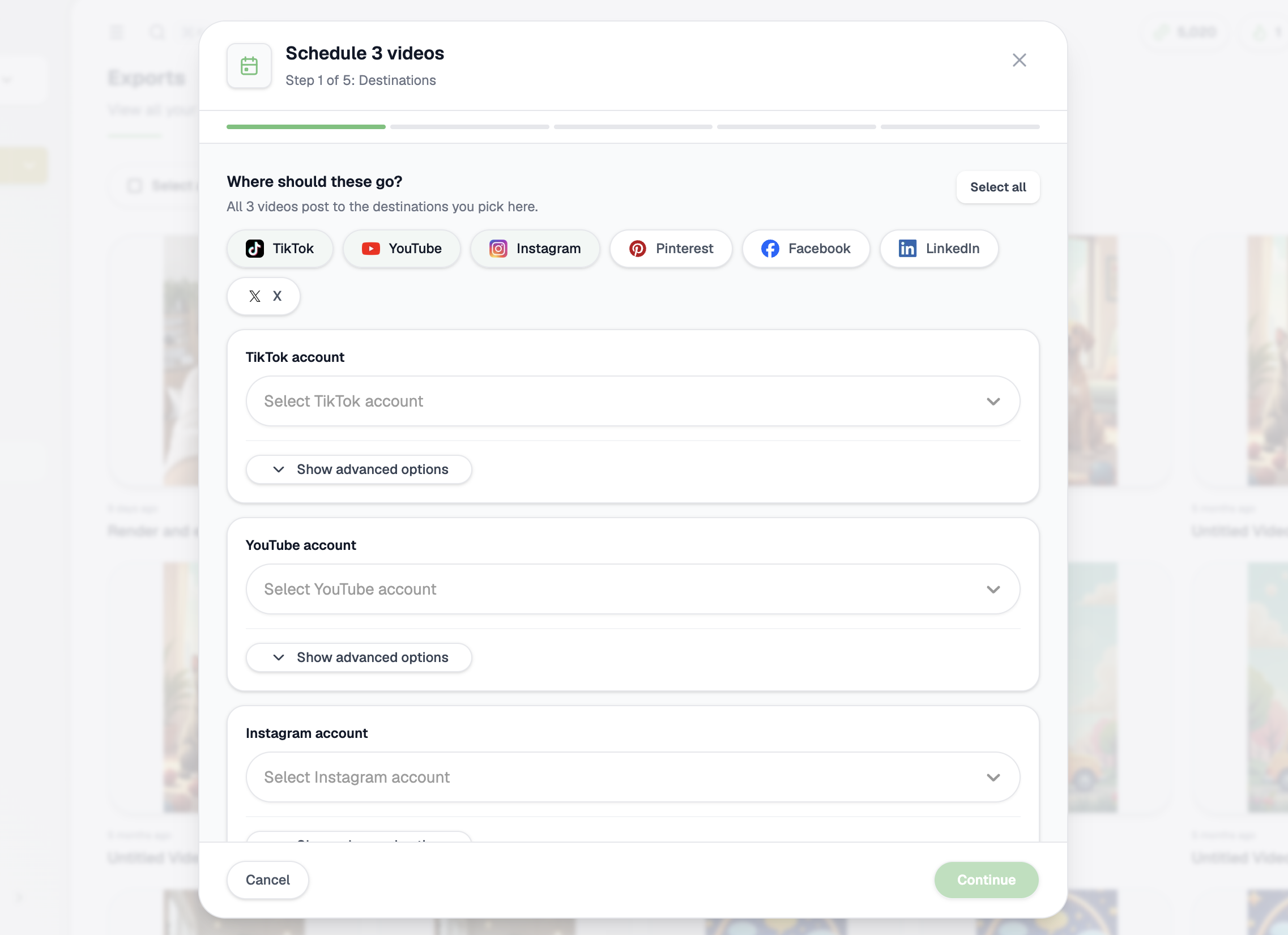
Select finished videos and schedule the whole batch through one setup instead of publishing every video one at a time.
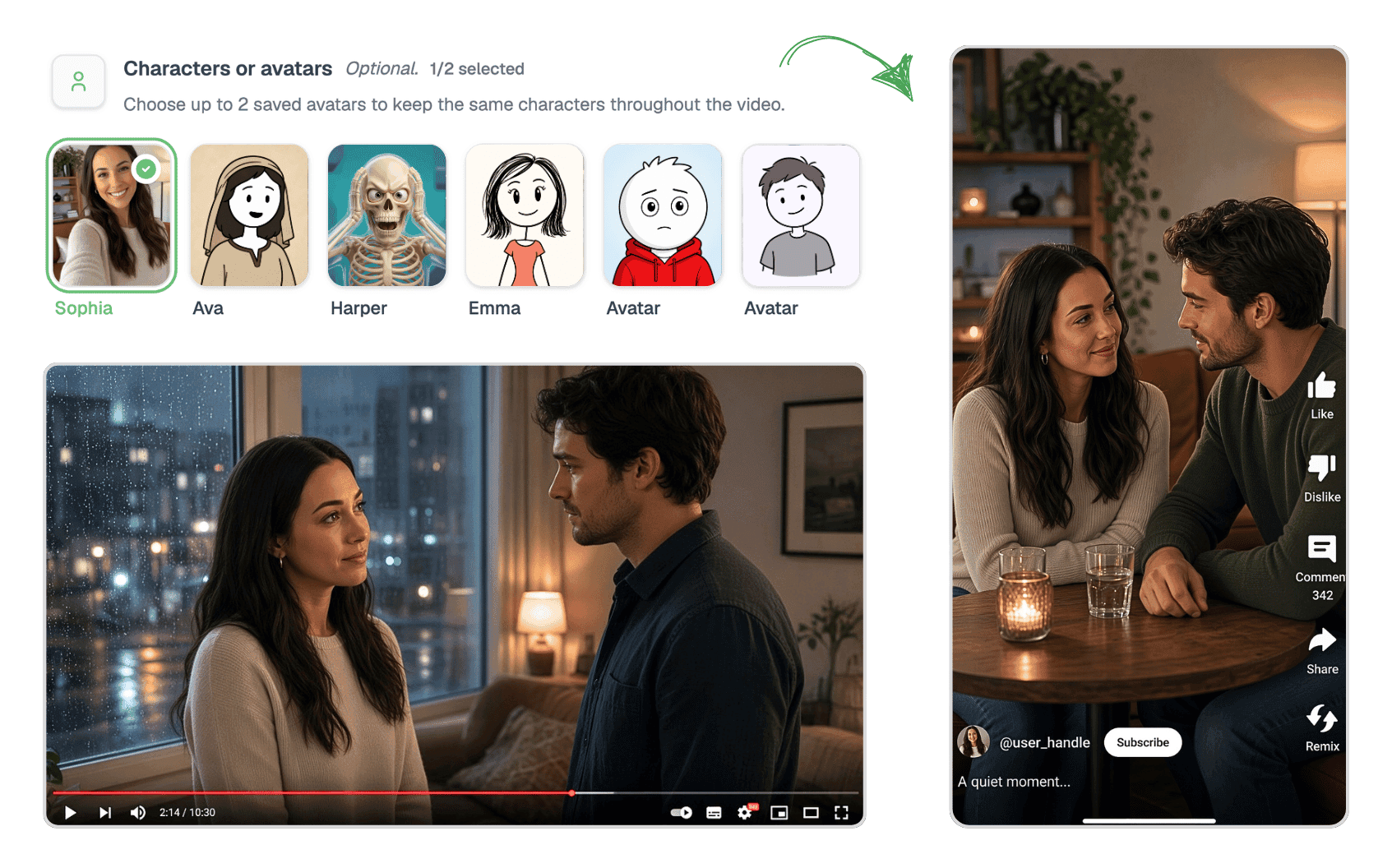
Put yourself in the story or create a branded character for your channel. Choose your saved characters once, then let Videnly keep their look consistent across YouTube and short-form videos.
Turn your own likeness into a recurring face or build a character that fits your channel and brand.
Give viewers a consistent character they can associate with your stories, explainers, and content.
Choose up to two saved characters and carry the same people throughout YouTube and short-form videos.
Select up to two saved characters before generation so your content keeps a recognizable cast across scenes.


Scene 1
Samson in the sunlit valley

Scene 2
Bringing down the temple

Scene 3
A conversation with Delilah

Scene 4
Captured by the soldiers
Turn your saved characters into complete videos with Videnly. Keep a recognizable face and visual style across different scenes, settings, and stories, so every video feels connected to your brand. Select a character you’ve already saved instead of describing their appearance again for each video.
Follow the same face and visual identity throughout the story.
Use your saved character across different locations, stories, and scenes while keeping a consistent look.
Watch the finished video with visuals, narration, and captions in place.
Upload a video or paste a YouTube or Twitch link and let Videnly find key moments for you. It is the fastest way to turn long content into ready-to-post clips.
Upload a source video, choose one from your library, or paste a YouTube or Twitch link to get started fast.
Videnly detects highlight-worthy sections, trims dead air, and turns longer videos into short-form clips automatically.
Add captions, set the aspect ratio, and generate short clips ready for Shorts, Reels, and TikTok.
Compare the generated clips, read their transcripts, and see the score, duration, and next action without opening separate tools.
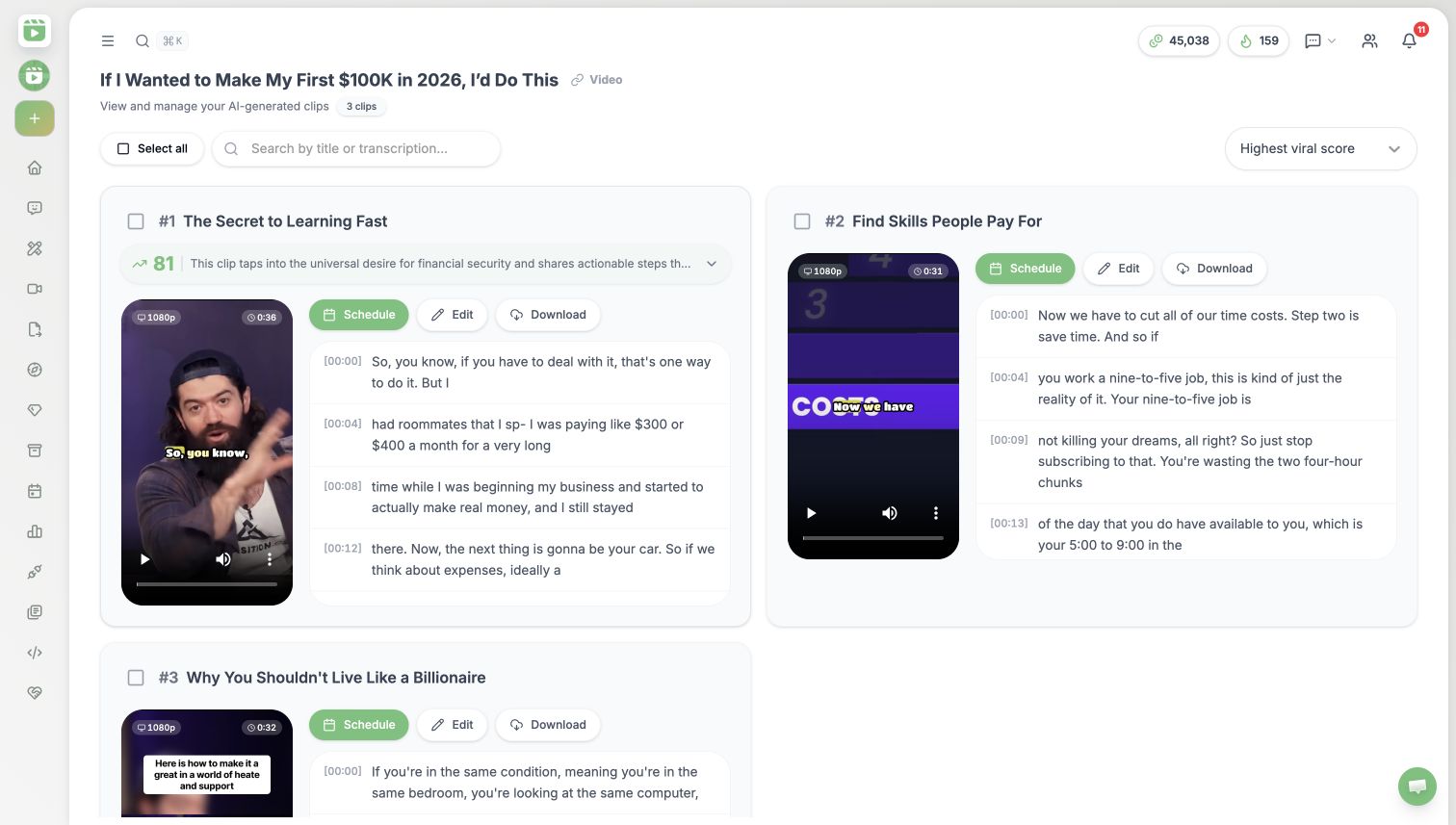
Turn podcasts, interviews, and live recordings into short clips without manual cutting.
Guide the AI toward the moments you want and add captions to every clip in one workflow.
Create clips sized for TikTok, Reels, YouTube Shorts, and more from a single source video.
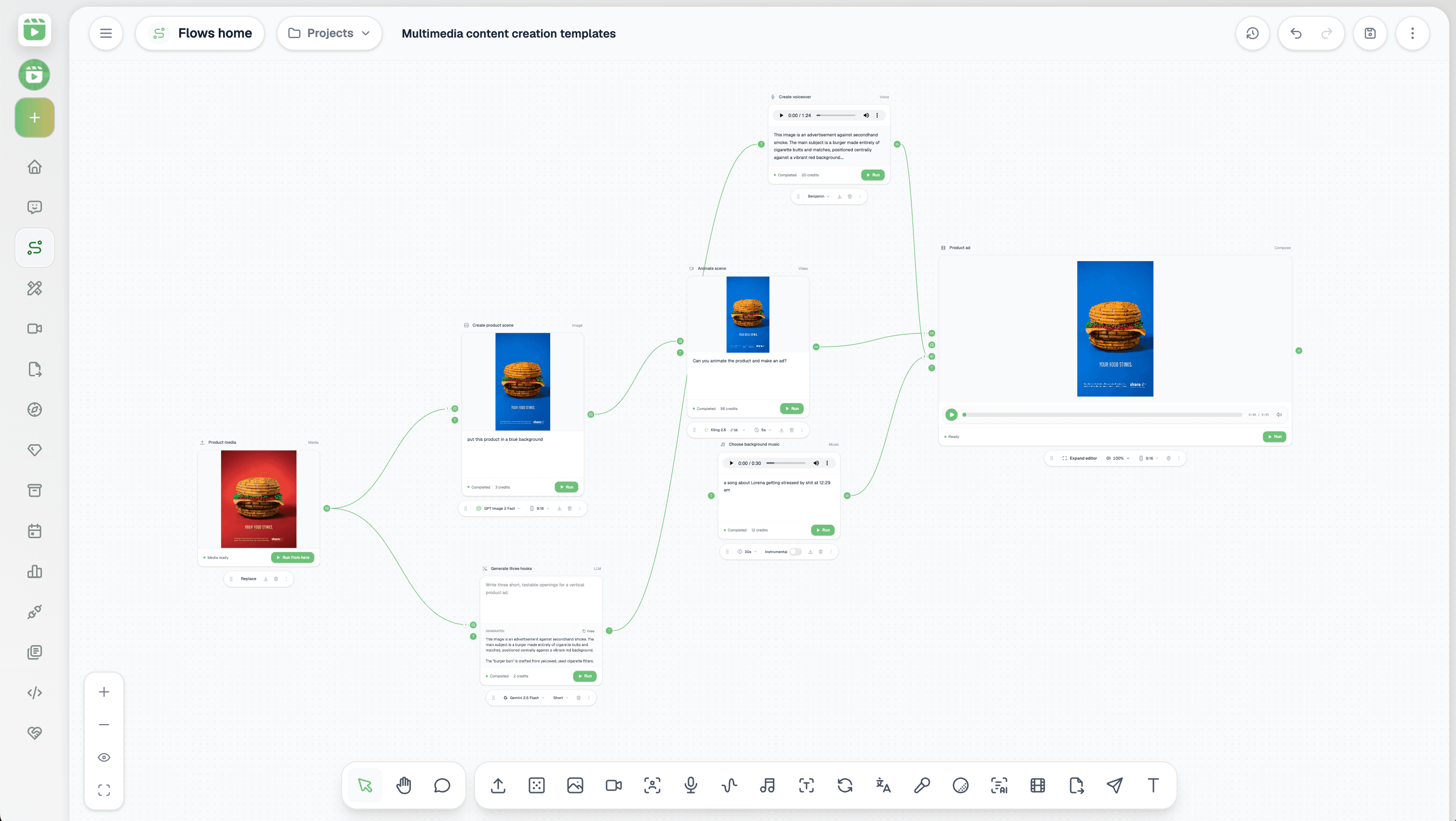
Connect your assets, prompts, AI models, voice, music, editing, and publishing in a reusable visual workflow. Give your marketing team or agency one repeatable process for turning briefs into finished videos.
Reuse the same production setup instead of reconnecting tools, rewriting prompts, and rebuilding every step for each new video.
Connect prompts, AI models, media, voice, music, editing, and publishing so your team spends less time moving work between tools.
Give your team approved workflows they can reuse across products, brands, and client accounts without rebuilding from zero.
Connect media, transcription, AI, creation, and publishing so your team always knows what happens next.
Choose the right model for speed, quality, style, or cost without managing separate provider accounts, subscriptions, and tools.
Use leading image and video models without paying for separate subscriptions.
Choose the best model for each project without managing API keys or accounts.
Move generations directly into your projects, editor, schedule, and connected channels.
Video generation
All popular models available
High-quality motion

Native audio and lip sync

Cinematic generation

Fast creative iteration

Synchronized audio

Fast image-to-video
Image generation
All popular models available
Strong detail and text

Photorealistic images

Flexible visual styles
Fast creative generation
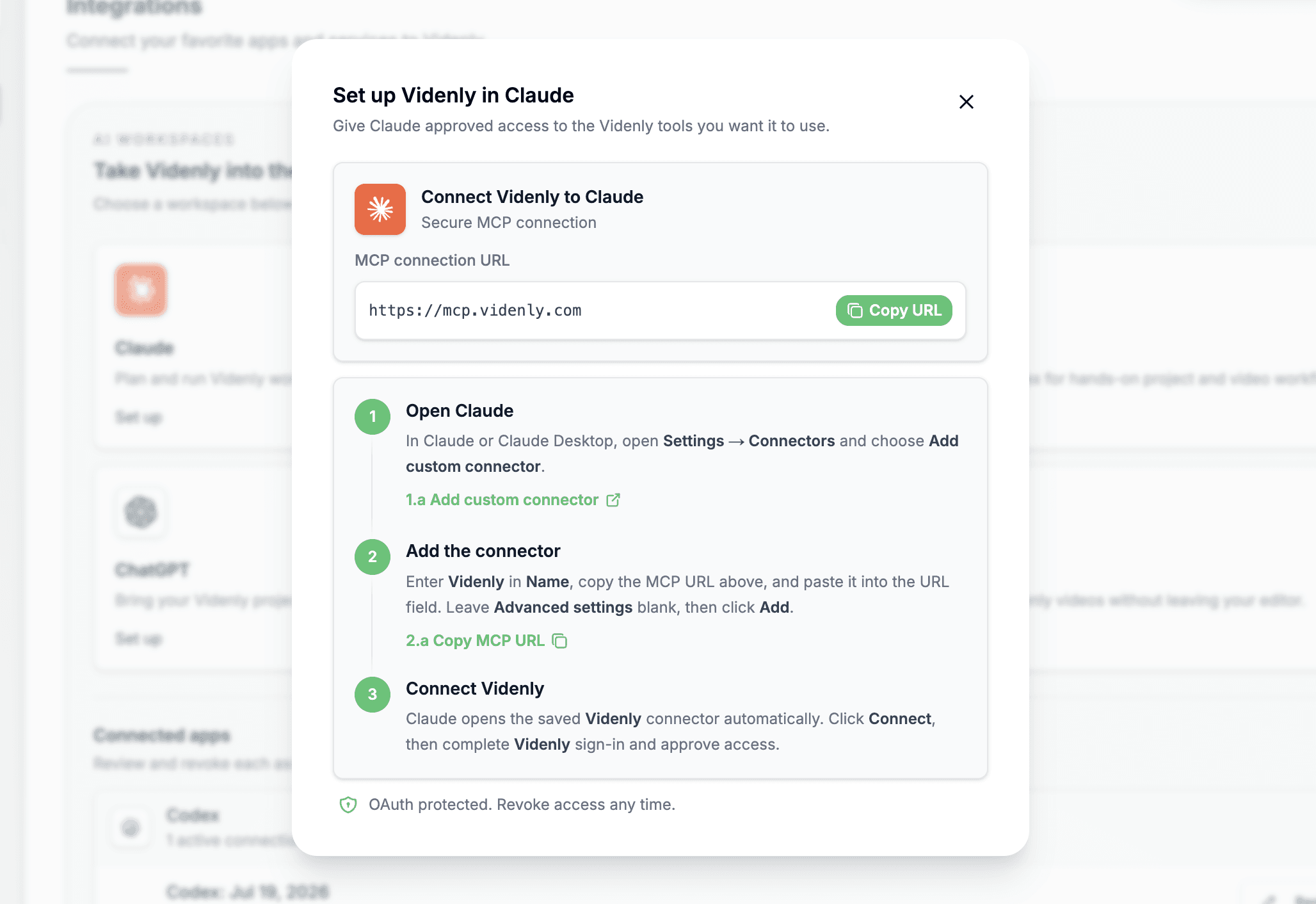
Use Videnly from Claude, Codex, ChatGPT, or Cursor through the Model Context Protocol. Turn an idea into a prepared video workflow, review the details, and generate only when you approve it.
Bring project context into Claude, Codex, ChatGPT, or Cursor without switching tabs.
Turn an idea into a configured workflow and review every detail before spending credits.
Check progress and retrieve completed videos directly from the AI agent you are using.
Approve only the access you need and revoke the connection whenever you want.
Every plan includes the connected creation, editing, project, and publishing workflow. Higher plans add more capacity and advanced controls.
Create · Edit · Manage · Schedule · Publish
Upgrade, downgrade, or cancel anytime
For growing brands and content teams
More credits, projects, accounts, automation, and integrations for a growing team.
$49
USD
Billed monthly
6,000 credits / month
Video output varies by duration, model, and workflow.
Upgrade, downgrade, or cancel anytime
Publish
4 publishing platforms
Create and edit with
For creators, businesses, and teams producing at scale
Higher-volume production with priority generation, premium voices, and advanced controls.
$99
USD
Billed monthly
Your price is locked to your profile forever.
12,000 credits / month
Video output varies by duration, model, and workflow.
Upgrade, downgrade, or cancel anytime
Publish
8 publishing platforms
Create and edit with
For teams that need more volume
More production capacity, account analytics, and custom options for your team.
$249
USD
Billed monthly
30,000 credits / month
Video output varies by duration, model, and workflow.
Upgrade, downgrade, or cancel anytime
Publish
8 publishing platforms
Create and edit with
Create ads, product demos, and social content, then publish them to every platform from one place.