Software & Tool How-Tos
Turn workflows and features into clear tutorial content. Our AI structures steps and explanations so viewers can follow along.

Run tech and software tutorial YouTube channels without recording your screen every time. Videnly generates how-to scripts, explainers, and tip videos with AI visuals and voiceover. Perfect for software, tools, and tech niches where search traffic is strong.

Tech audiences search for answers. Videnly helps you publish tutorial and explainer content that matches those searches.
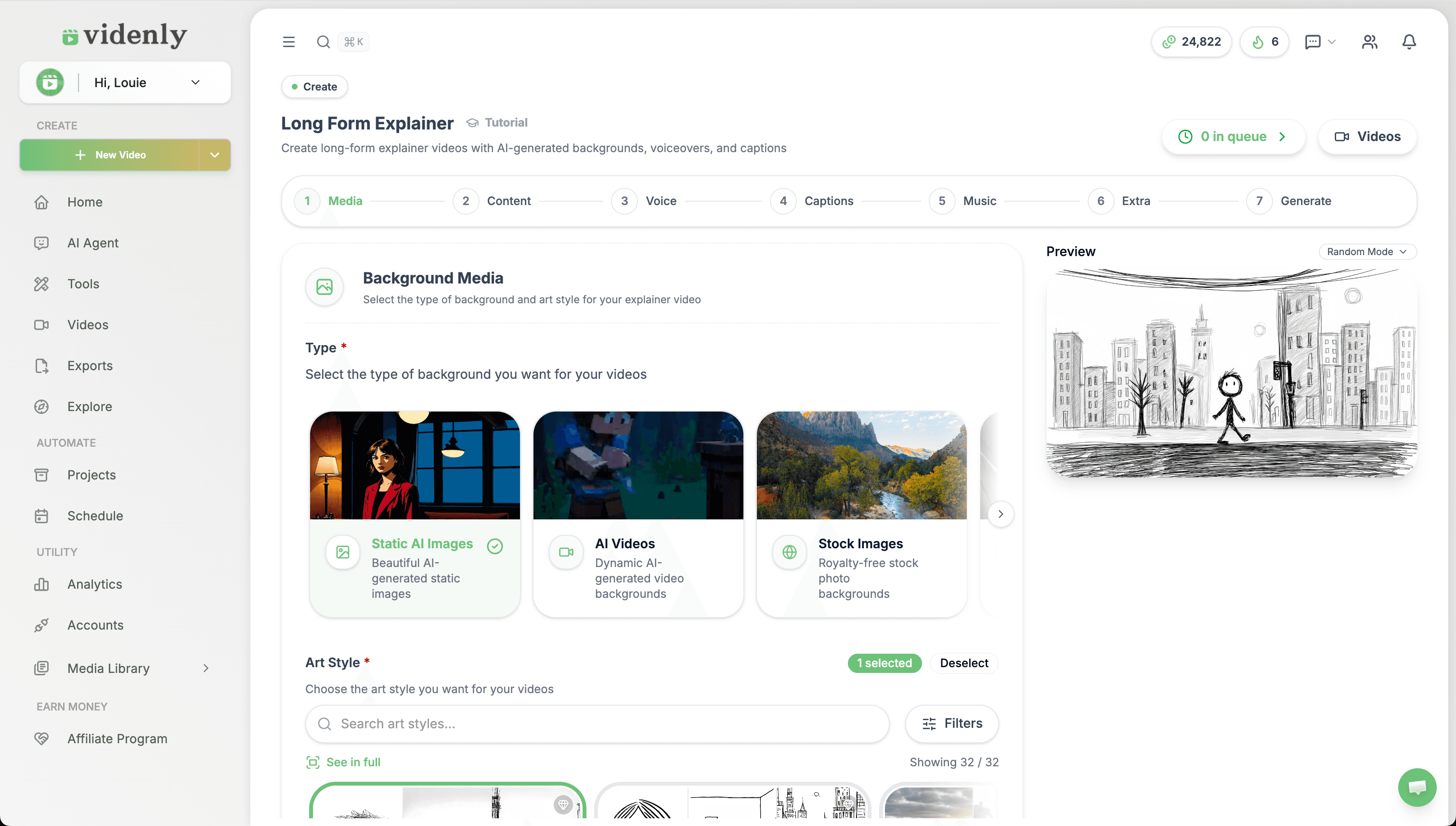
Turn workflows and features into clear tutorial content. Our AI structures steps and explanations so viewers can follow along.
Create explainer and comparison videos that rank for “what is” and “vs” searches. Build authority in your tech niche.
Tech tutorials often stay relevant. Automate creation and build a library that keeps attracting search traffic over time.
Give Videnly a topic, prompt, article, report, webinar, or script. The workflow prepares scenes, visuals, voiceover, captions, music, and pacing in one connected project.
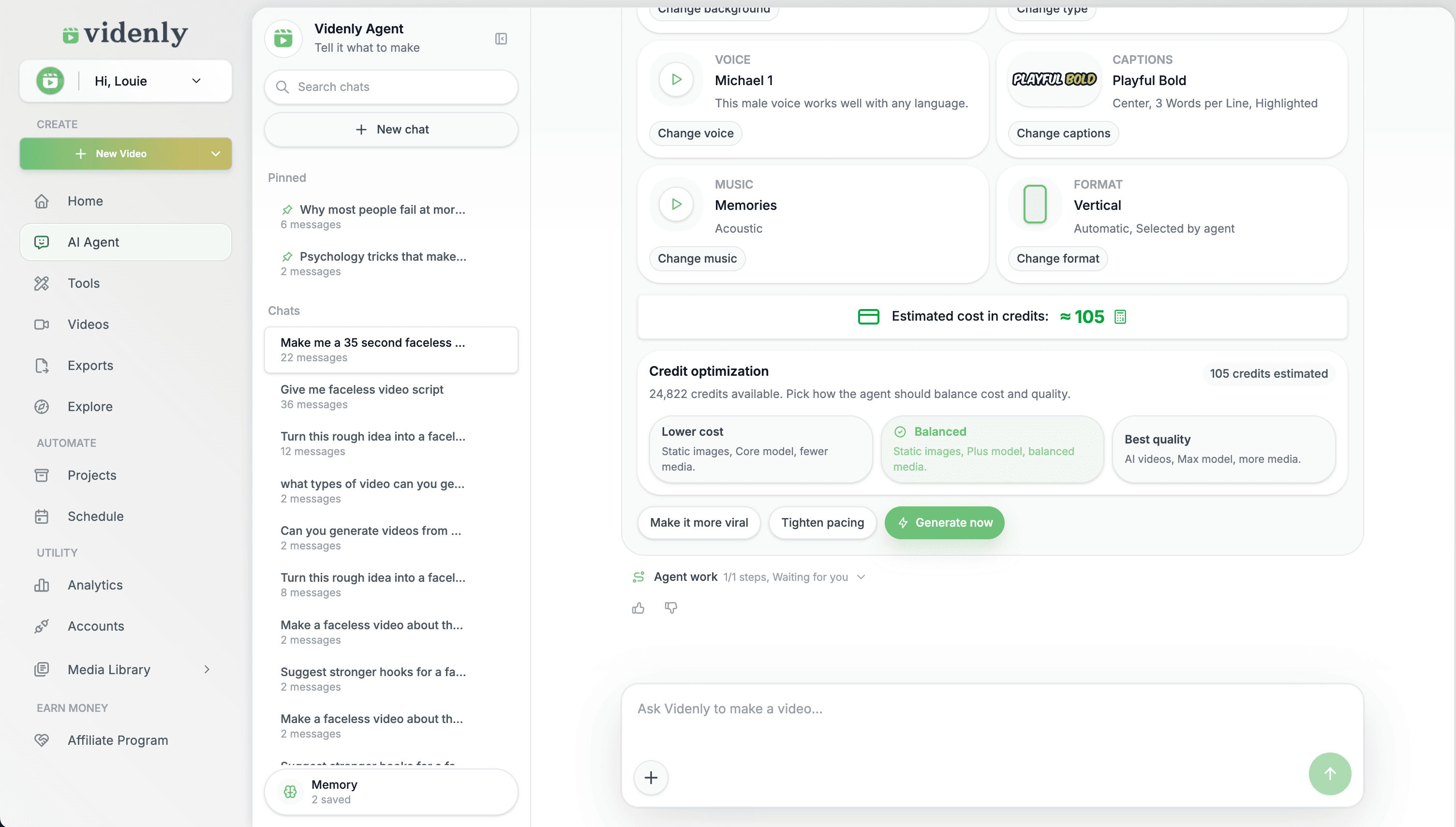
Replace media, adjust timing, edit captions, refine the voice, and review the finished video inside Videnly before it reaches your channel.
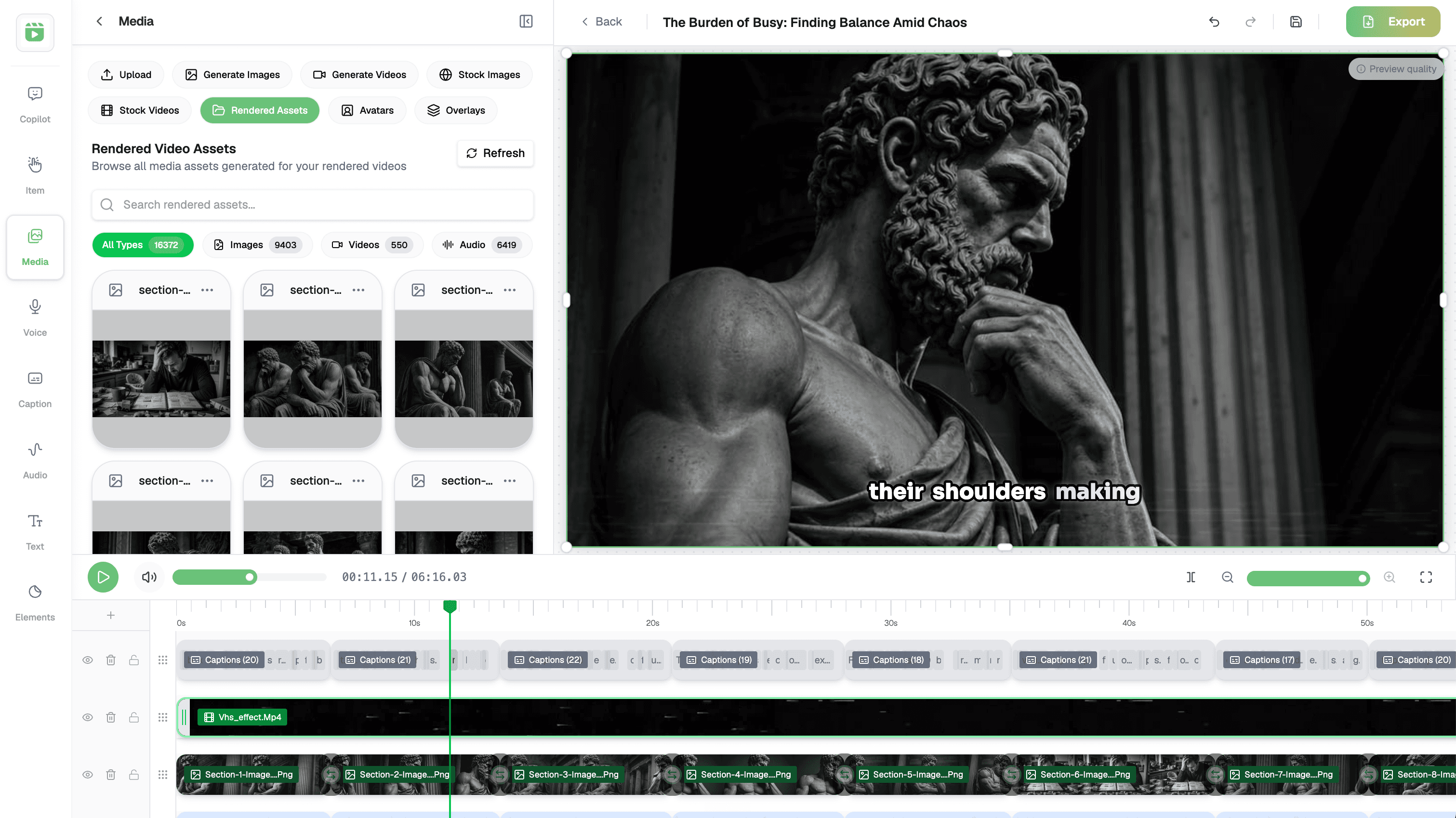
Prepare the YouTube details, choose the connected channel and publishing time, then keep upcoming and published videos visible from one calendar.
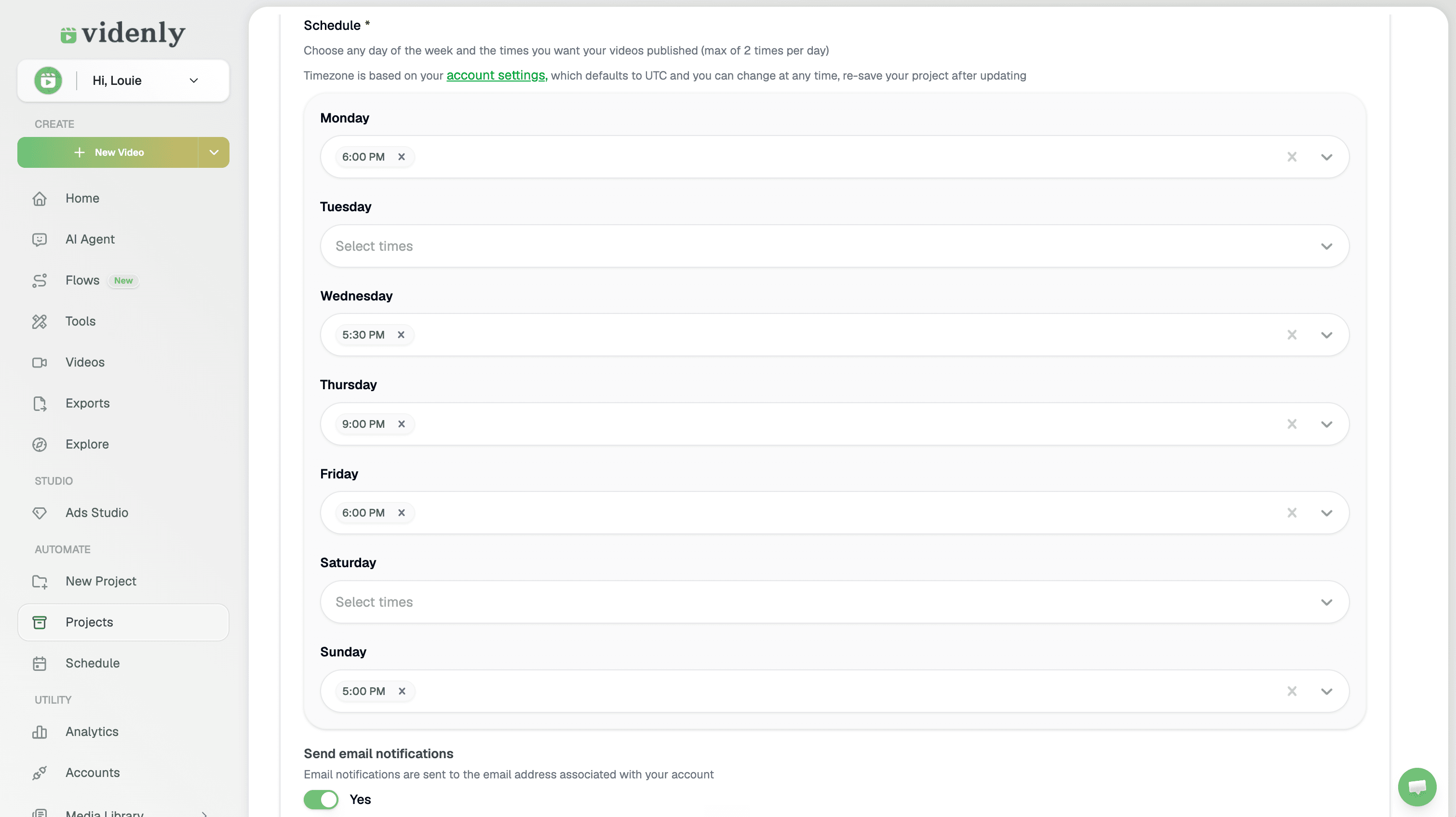
Reduce repeated setup, assembly, exporting, and uploading across every new video.
Review the real output and change the parts that need attention before anything publishes.
Batch the work, schedule ahead, and see upcoming videos across connected channels.
Clear answers about creation time, editing control, multiple channels, commercial use, and publishing.
No. You can create faceless videos with generated visuals and AI voiceover, or bring in your own media and narration when the format calls for it.
Yes. You can use Videnly to prepare scripts, visuals, voiceover, captions, editing, scheduling, and publishing for tech & software tutorial channels. You still review the result and decide what goes live.
Timing depends on the format, length, selected AI models, and how much you want to revise. Videnly reduces the manual setup and assembly work, then keeps the full project available for review before publishing.
Yes. Replace media, adjust scene timing, edit captions, refine voice and audio, and review the complete result before you download, schedule, or publish it.
Yes. Connect and manage multiple publishing accounts, organize repeatable work in Projects, and use the content calendar to see what is scheduled across your channels.
Videnly plans include commercial use for the videos you create. YouTube monetization still depends on YouTube's current policies, your channel eligibility, and the rights attached to any media you upload yourself.
Turn the content you already know into reviewed, scheduled YouTube videos using one repeatable Videnly workflow.